- AWS Marketplace›
- Developer tools & tutorials›
- Data, analytics, & machine learning
Real-time fraud detection using Amazon Redshift and Confluent Cloud
Deploy a stream processing fraud detection concept using Confluent Cloud’s Kafka and Flink managed services
Introduction
This solution template enables you to rapidly deploy a production-ready, real-time fraud detection system that processes streaming transaction data at enterprise scale using Confluent Cloud and AWS services.
With Confluent Cloud in AWS Marketplace as your streaming data platform, you get:
- Real-time change data capture from transactional databases with sub-second latency
- Managed Apache Kafka for durable, ordered event streaming at hundreds of transactions per second
- Integrated Apache Flink for stream processing and fraud rule execution
- Seamless data pipeline orchestration from database to analytics without custom code
Get started with Confluent Cloud through AWS Marketplace and our automated Terraform deployment, eliminating weeks of complex infrastructure setup and accelerating your path to a scalable fraud detection system that can process thousands of events per second.
Deploy the solution
Introduction
Organizations today are faced with a rapidly evolving challenge: how to detect and prevent fraudulent activity in real time while maintaining optimal customer experience. Online commerce has skyrocketed, digital payments and global marketplaces have dramatically increased the volume of all-digital transactions and, not surprisingly, malicious actors find in this a huge incentive for ever increasing sophistication in their fraud attempts.
Long gone is the effectiveness of traditional batch-based processing that simply cannot keep up with the pace, leaving businesses exposed to financial losses, reputational damage, and regulatory risks.
The Challenge of Real-Time Data Processing
Real-time data processing is all about gaining the capability to ingest, analyze and act on data within milliseconds of its creation. Unlike batch pipelines, which operate on a schedule, real-time systems must process continuously flowing streams of data – of course, achieving this is not without challenges:
- Scalability — handling hundreds to thousands (or even more!) events per second while keeping infrastructure costs at bay and systems manageable.
- Precision — speed of processing cannot be achieved at the cost of false-positives, flagging legitimate transactions as fraudulent is also a huge source of poor user experience.
- Responsiveness — enabling sub-second decision-making to block fraudulent transactions before they complete.
- Complexity — orchestrating multiple data services (databases, processing engines, analytics stores) in a cohesive architecture.
But don’t take my words for granted, let’s look at some numbers to help contextualize the dimension of stream data processing, when related to financial transactions:
- Large e-commerce platforms like Amazon process an estimated 300+ orders per second globally.
- Payment providers such as Visa reports exceeding 65,000 transactions per second on their networks.
- Fraud accounts for 3–5% of global e-commerce revenue, amounting to over $40 billion annually in direct losses. These numbers grow each year as fraudsters exploit weaknesses in fragmented or delayed detection systems.
Stream Data Processing and Change Data Capture
At the heart of addressing these challenges are two technical concepts: Stream Data Processing and Change Data Capture (CDC).
- Stream Data Processing is a continuous computation over data streams. There are numerous sources for data streams, from IoT devices streaming sensor data to financial transactions. Rather than waiting for a dataset to close, stream processors act on events as they arrive. For fraud detection, this means applying rules, anomaly detection, or machine learning models directly to the flow of transactions as they are generated.
- Change Data Capture (CDC) is a mechanism for tracking changes in a database — inserts, updates, and deletes — and publishing those changes into a stream. This ensures that every record that is inserted, modified or removed from some transactional system is immediately available for processing without impacting the performance of the operational database and without having to modify the business logic of the systems that produce this data. CDC acts as the bridge between systems of record (databases) and real-time analytics platforms.
Together, these concepts ensure that fraud detection engines operate on the freshest possible data with minimal lag.
Solution overview
Components of a Real-Time Fraud Control Solution
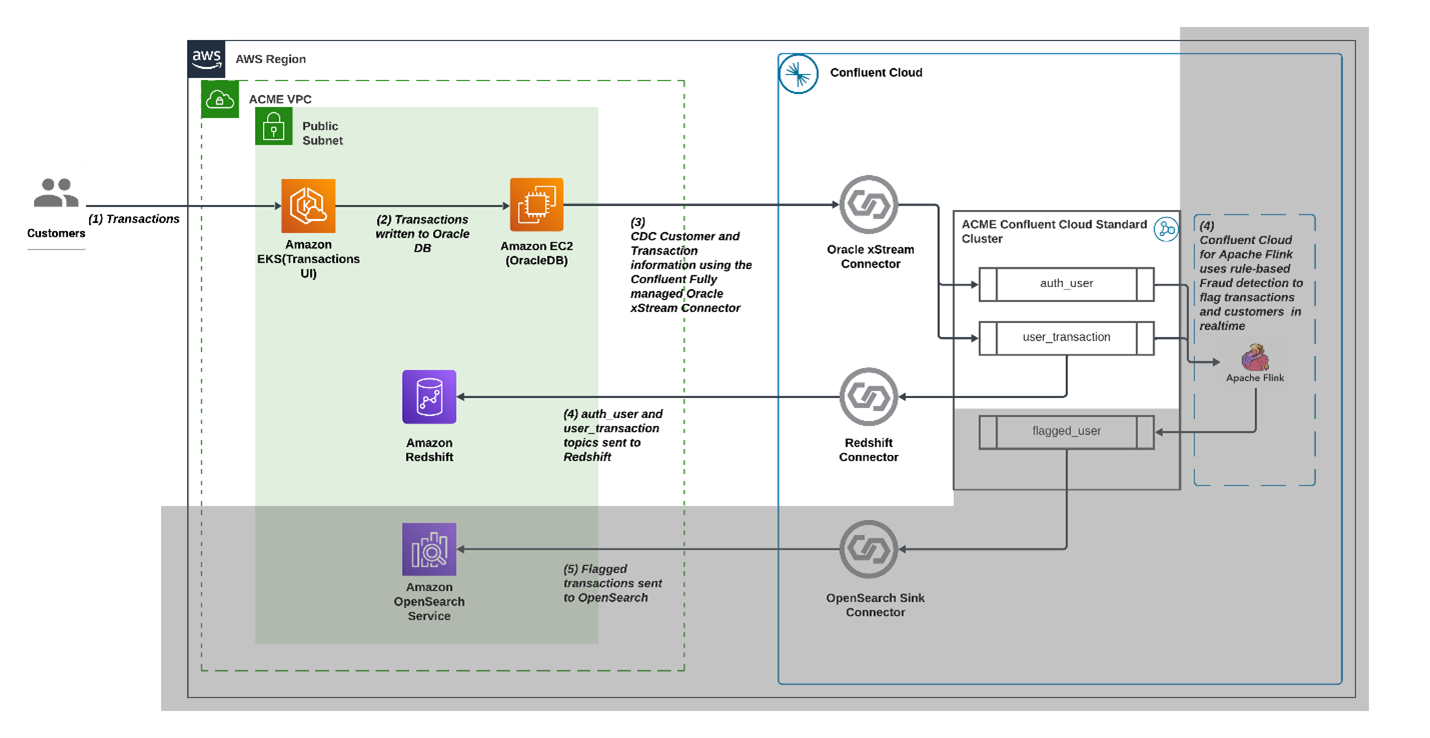
This solution template demonstrates how to combine Confluent Cloud with AWS services to build an end-to-end, real-time fraud control system. At a high level, the architecture follows this pattern:
Transaction capture
All customer transactions are recorded in a relational database.Streaming with CDC
Database changes are continuously captured and streamed into Confluent Cloud, where Kafka topics provide durable, ordered event streams.Real-time processing
Flink, as a compute provider, consumes the streams to apply fraud detection logic in real time.Analytics and indexing
Processed events are stored into Amazon Redshift for large-scale indexing, visualization, and retrospective analysis. This enables security analysts and data scientists to query trends, build dashboards, and refine detection models.
Architecture
Apache Kafka on Confluent Cloud
At the heart of the solution, Confluent Cloud provides a fully managed Apache Kafka service that acts as the real-time event core for receiving and processing the data stream. Every transaction written to an Oracle Express database running on EC2 is captured through Change Data Capture (CDC) and streamed into Kafka topics. Kafka ensures durability, ordering, and scalability of events, and tightly integrates with Apache Flink for performing computations against this data stream.
Apache Flink on Confluent Cloud
To enable real-time processing, Confluent Cloud integrates Apache Flink as a fully managed stream processing engine. This stream-first approach closes the latency gap between data capture and fraud response.
Amazon Elastic Kubernetes Service (EKS)
Amazon EKS hosts the transaction user interface (UI) that we’re going to use to simulate transactions.
Amazon Redshift
Finally, Amazon Redshift provides the search and analytics layer of the solution. Once Flink flags suspicious activity, transactions are written to Redshift using a Confluent sink connector. Redshift makes it possible to index, query, and visualize flagged transactions in near real time. Redshift can scale to billions of documents and supports interactive analytics, both key features required when processing data streams at scale.
Deploying this template
The template is fully codified using Terraform and will deploy all the resources you need to have a fully functional environment as seen in the architecture diagram.
Development environment requirements
Terraform v1.10 or later
AWS CLI
Prerequisites
Confluent Cloud Account
- If you don’t have one, sign up for Confluent Cloud in AWS Marketplace and complete the quick launch procedure.
Generate an API Key for your Confluent Cloud account and use the key in your tfvars configuration:
- Log into Confluent Cloud.
- Open the sidebar menu and select API keys.
- Click + Add API key.
- Associate API Key with My account.
- Select Cloud resource management.
- Create the API key and copy the Key & Secret.
- Export two environment variables as shown in the Confluent Terraform provider documentation. You only need CONFLUENT_CLOUD_API_KEY and CONFLUENT_CLOUD_API_SECRET.
Terraform module description
The solution is split into three modules:
aws_resources/
Defines and provisions the core AWS infrastructure required to host and run data processing and integration workloads.
Overall, this module lays down the infrastructure foundation—network, compute, and database layers—upon which the rest of the solution operates as well as an application to simulate the generation of transactions.
connector/
Configures Confluent connectors to integrate data sources and targets. This module acts as the data movement and integration tier, bridging systems like Oracle and Kafka to support streaming ingestion.
processing/
Implements the stream processing and analytics layer built on Apache Flink and Redshift. This module enables data transformation, enrichment and fraud detection, completing the flow from raw source data to analytics-ready datasets.
Deployment steps
Before getting started
Start by cloning the repository locally. Make sure you are logged into your AWS account and have configured your terminal to use your AWS identity. Follow the official documentation for more details.
Export the API Key ID and Secret for your Confluent Cloud account that you created as Prerequisite.
Step 1: Deploy aws_resources/
Go into aws_resources/ and run terraform apply, after around 10 minutes you will see output similar to this:
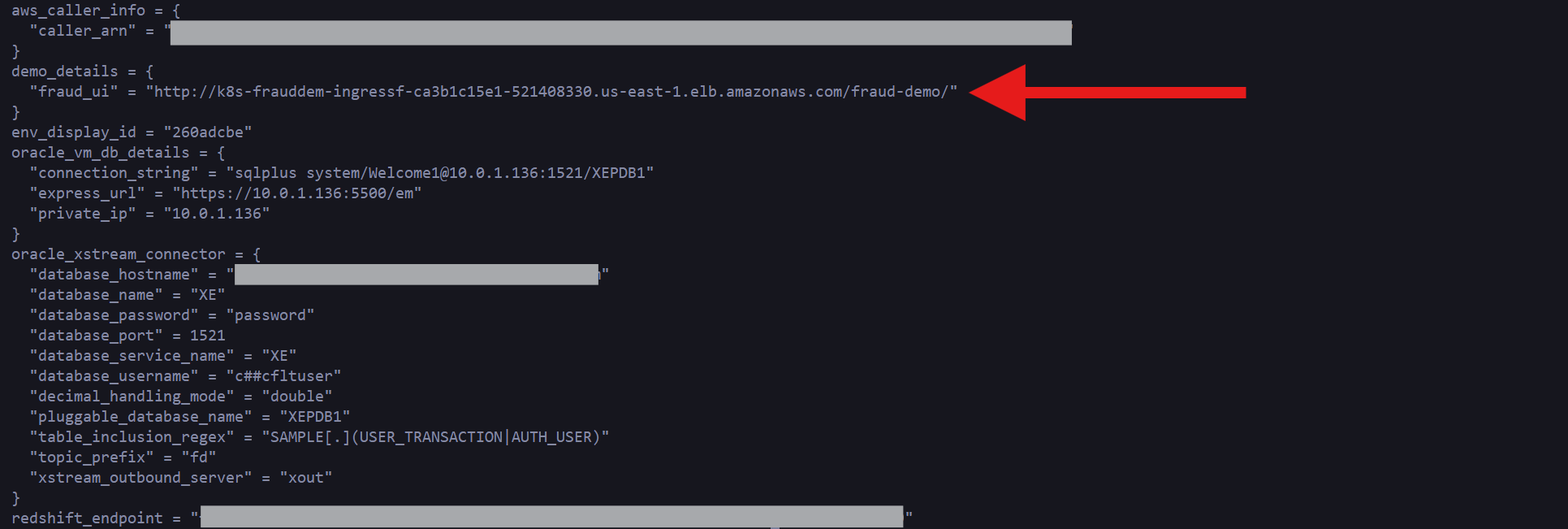
Pay close attention to the “fraud_ui” URL that will show in your specific output, this will be a unique URL for your instance. We will use this web application to simulate transactions, but before going there, let’s look at the resources that we have just created.
In your AWS account console, navigating to Amazon EC2 Instances you will see a new instance called fd-oracle-xe. This instance is running an Oracle database preconfigured with change data capture enabled using Oracle XStream. This database will store all transactions generated by the sample web application.

Navigating to EKS you will find one Elastic Kubernetes Service cluster.
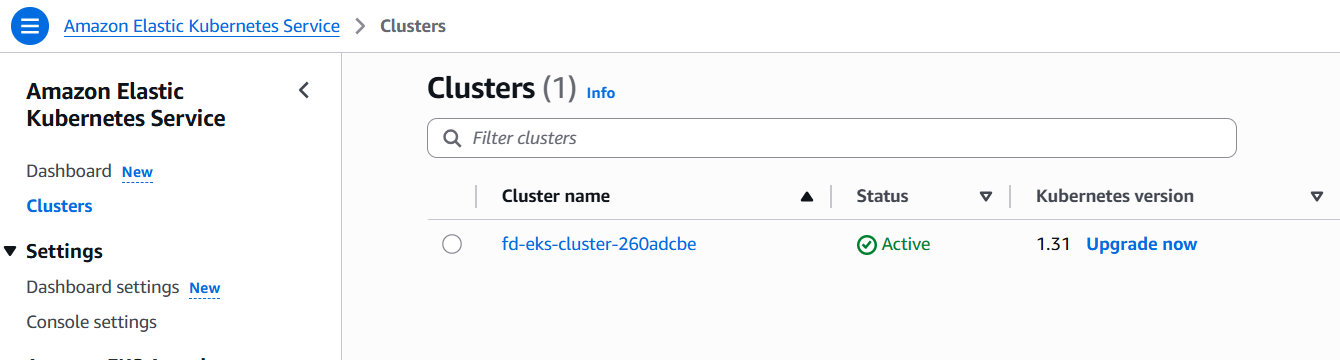
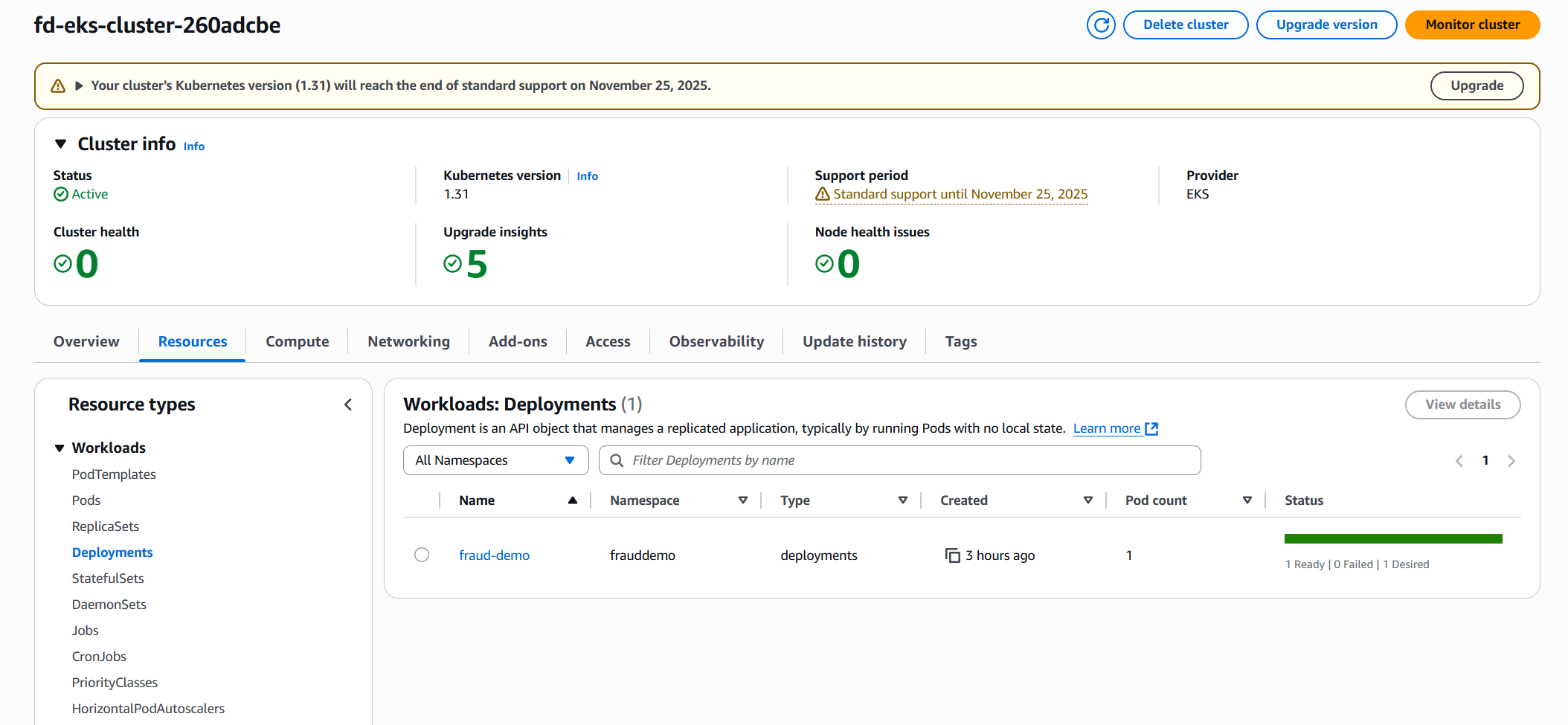
Inspecting the cluster resources you will see the fraud-demo deployment running, which is the web application we will use to simulate transactions:
Finally, navigate to Amazon Redshift to see a cluster running, this cluster will be the target for all transactions identified as potentially fraudulent.
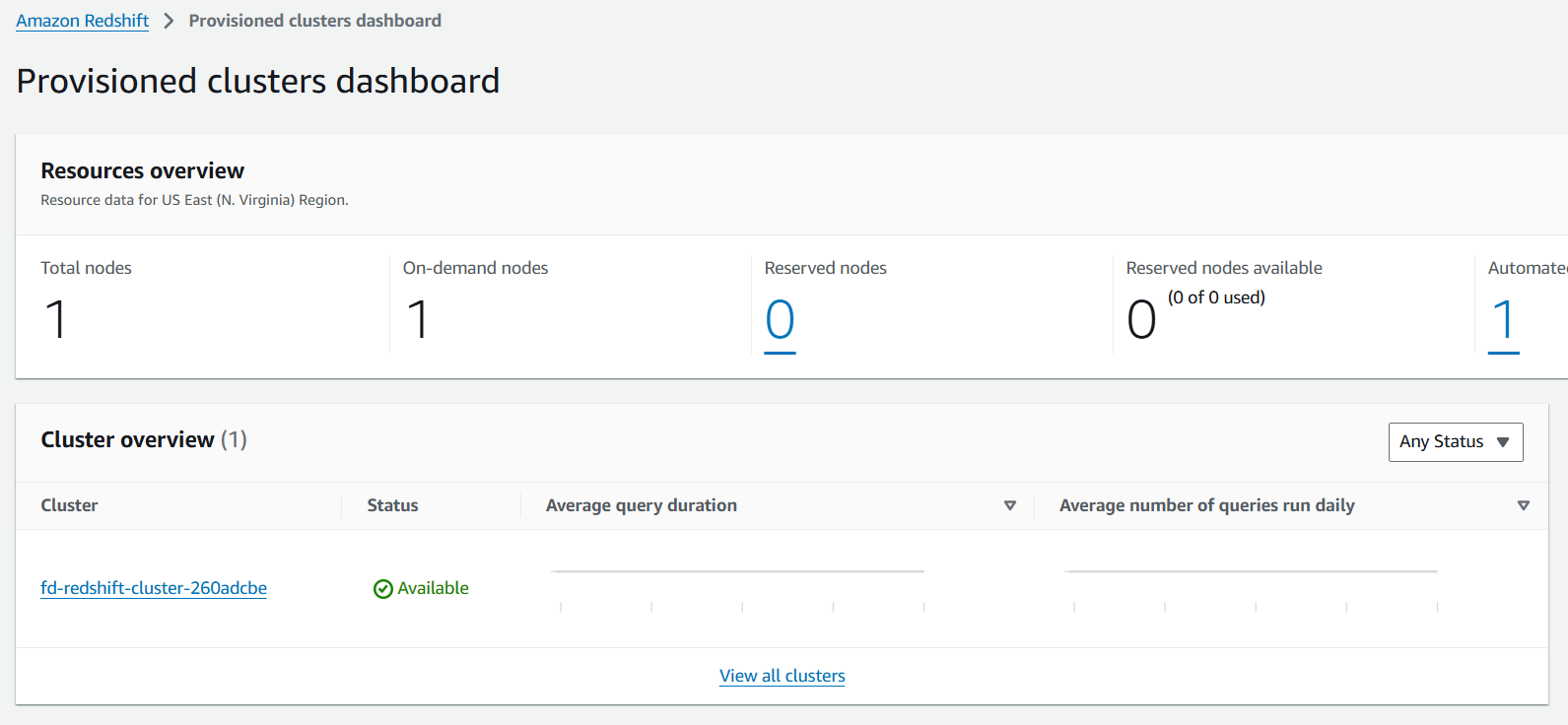
These are all the resources that we have created so far, before moving to the next step, let’s start generating some transactions. Go to the fraud_ui URL as shown in the output of your terraform apply.
You will see a Web Interface that looks like this:
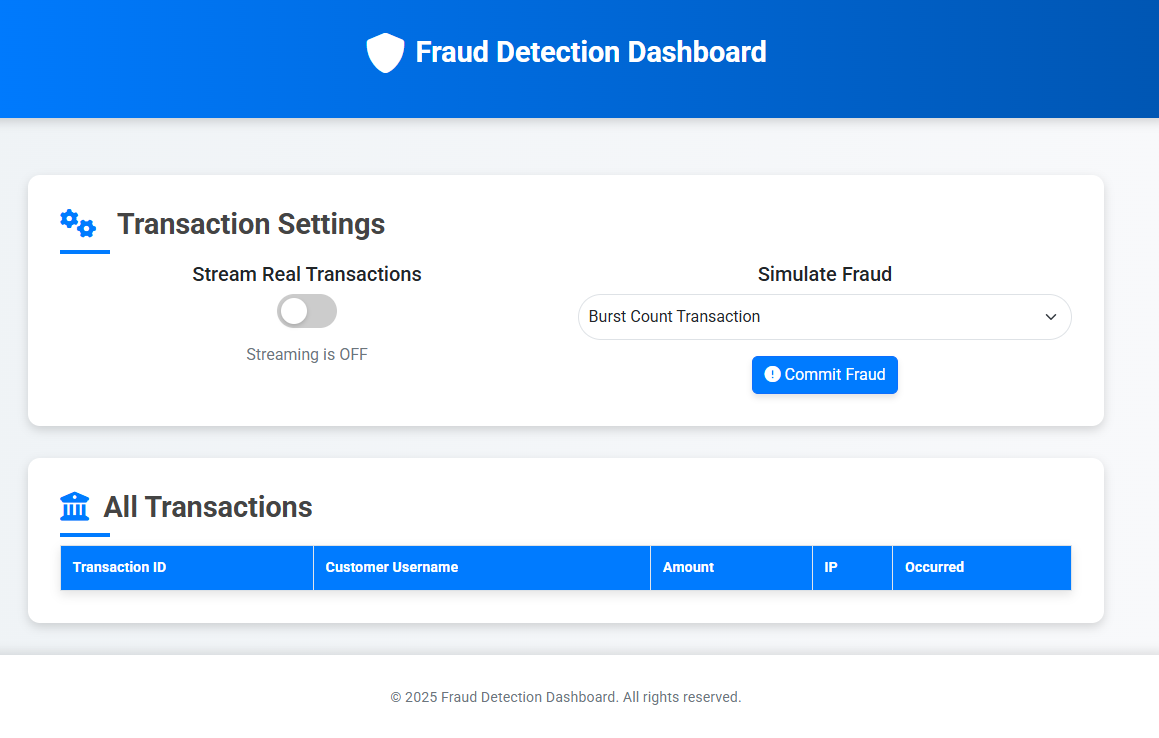
Click the “Stream Real Transactions” toggle to start generating one transaction per second, once clicked the UI should look similar to the following:
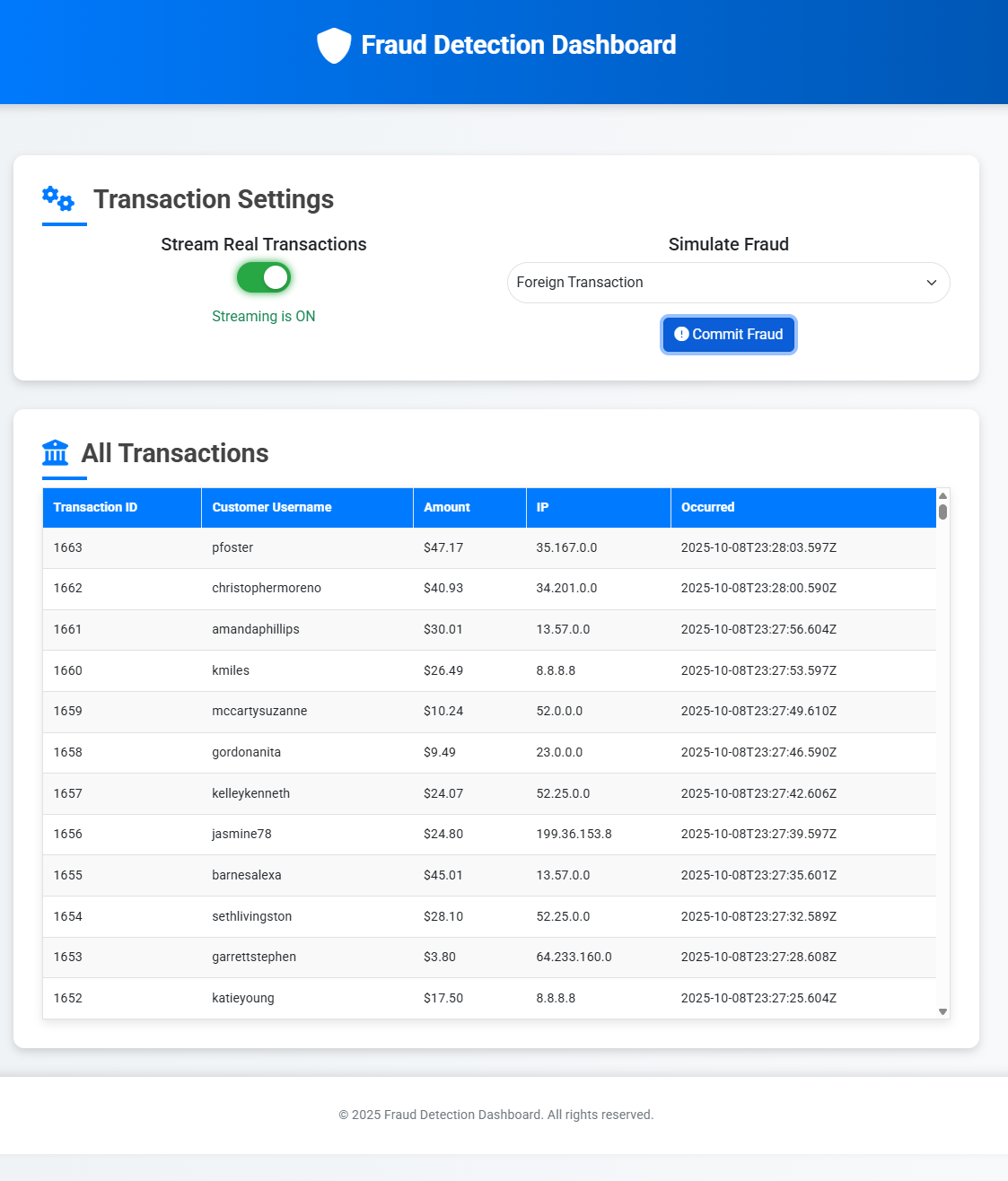
We are now running all resources in AWS, let’s move to Step 2 and create the required resources in Confluent Cloud to start getting transactions streamed for processing.
Step 2: Deploy connector/
The connector directory will create all core resources in Confluent Cloud, including an environment, a Kafka Cluster, a Flink Compute Pool and the run the required Flink statements to take the transactions being streamed and make them available for further processing.
After running terraform apply from the connector/ directory, you will see outputs similar to the following:
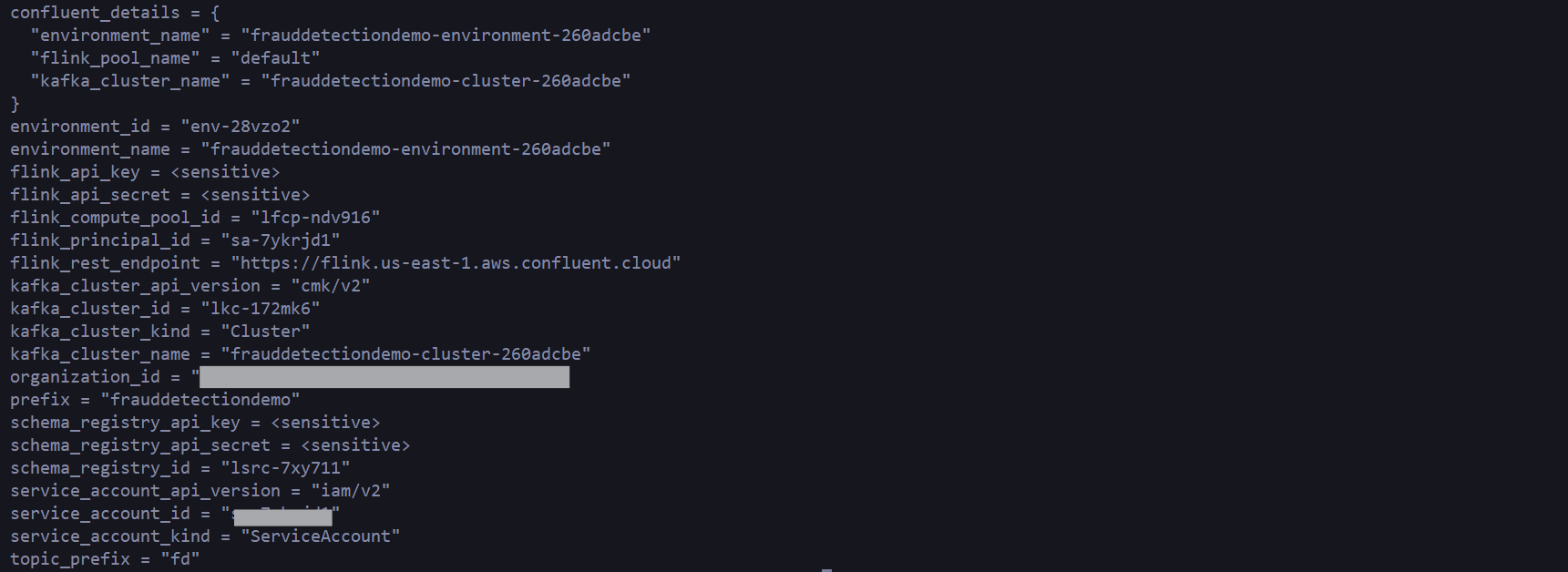
Navigate to your Confluent Cloud account, and let’s inspect some of the resources created.
Notice a new environment named frauddetectiondemo-environment-{randomId}
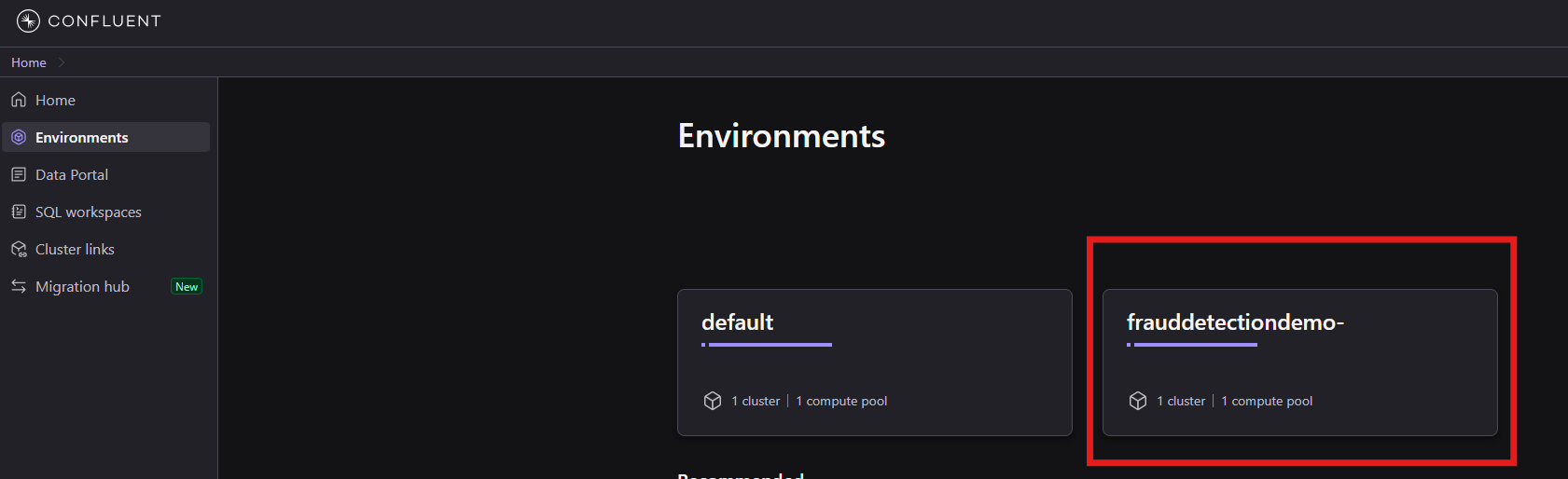
In this environment you will find a new Kafka Cluster, as well as a Flink Compute Pool:
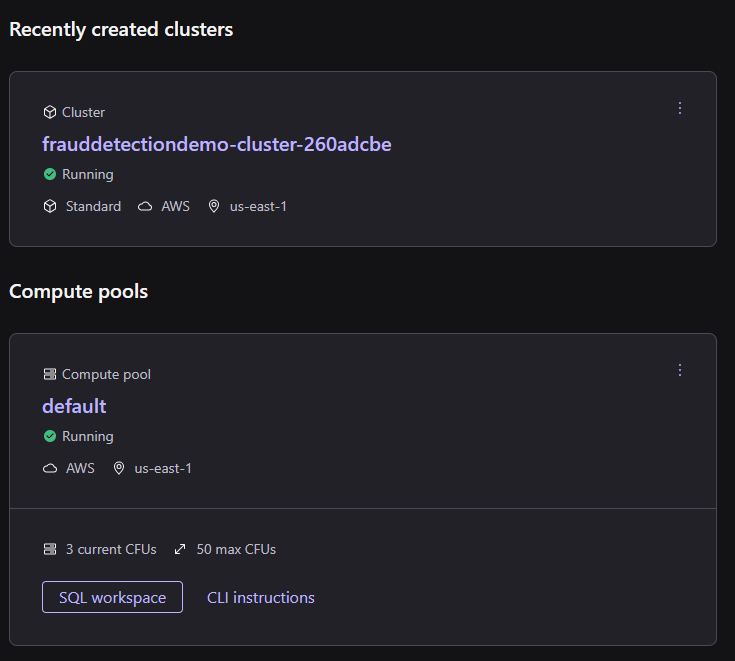
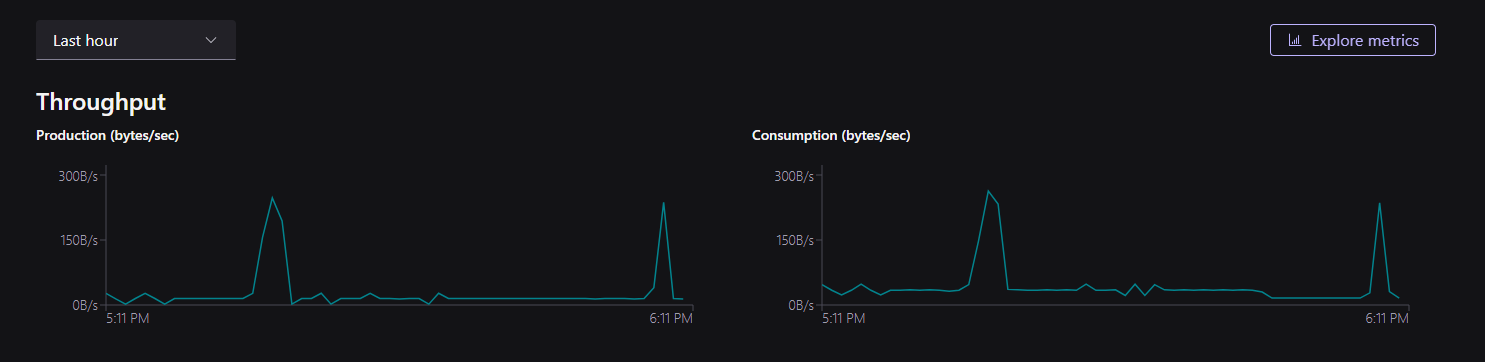
Let’s start by looking at the Kafka Cluster, click in the Cluster name to go into its details. As you’ll notice, there is data already streaming into this cluster from the transactions being written to the Oracle database:
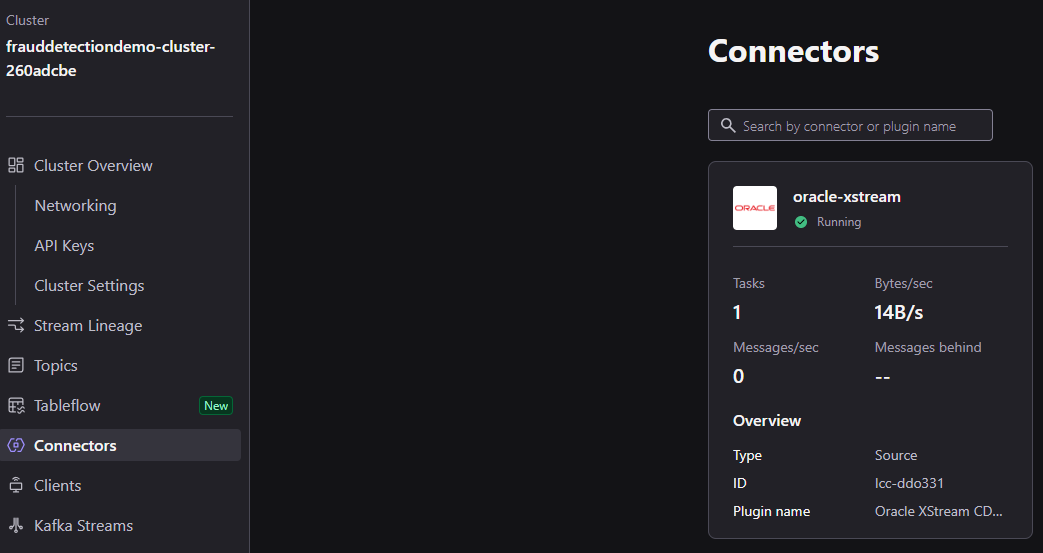
These messages are coming through a Connector, clicking on Connectors on the left menu will take show you an existing oracle-xstream connector, already configured to consume transactions from Oracle:
Selecting Topics, you will see that there are various topics already in existence, the topics prefixed with fd. receive all messages generated by Oracle Xstream, while auth_user and user_transaction are receive messages extracted by Flink from the change stream of messages flowing into the fd. prefixed topics.
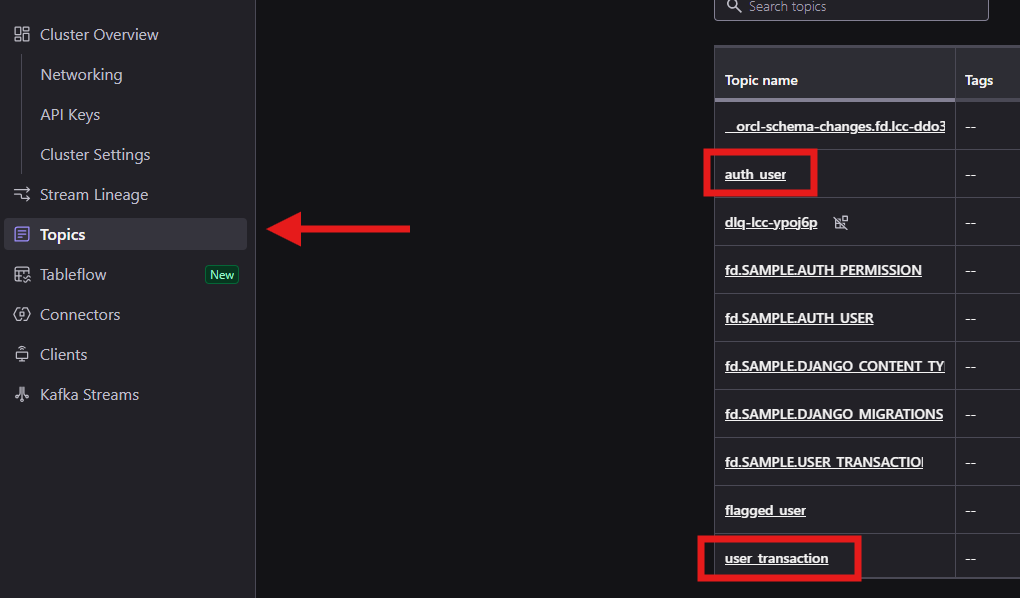
You can click in the user_transaction topic to see the messages coming in from transactions generated by our demo application. The data you will see here will match the output of the web interface we saw during step 1:
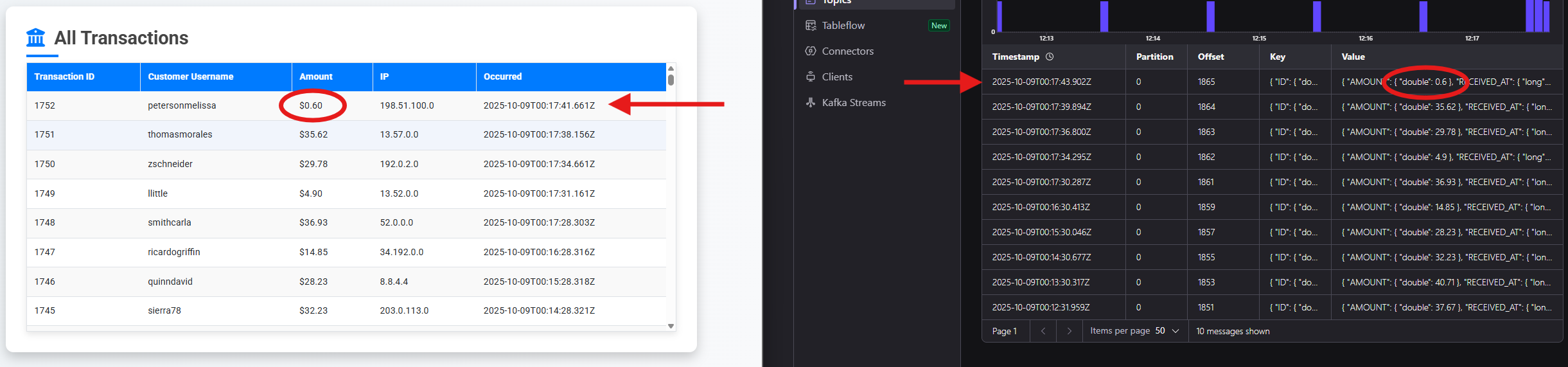
Data is streaming from our Oracle Database into Kafka, now let’s move to Step 3 and flag suspicious transactions!
Step 3: Deploy processing/
The final step is to deploy our processing tier which will flag transactions that match a set of rules as suspicious.
The processing module does not produce any outputs, once deployment is complete, let’s inspect the created resources.
Go back to your Confluent Cloud Console, into your Kafka Cluster and onto Connectors.
You will now see three connectors, the existing Oracle XStream connector, and two new conncetors: a Redshift Sink connector and an OpenSearch Sink connector. These new connectors will be used to submit user transactions to Redshift, and suspicious transactions into Amazon OpenSearch Service.
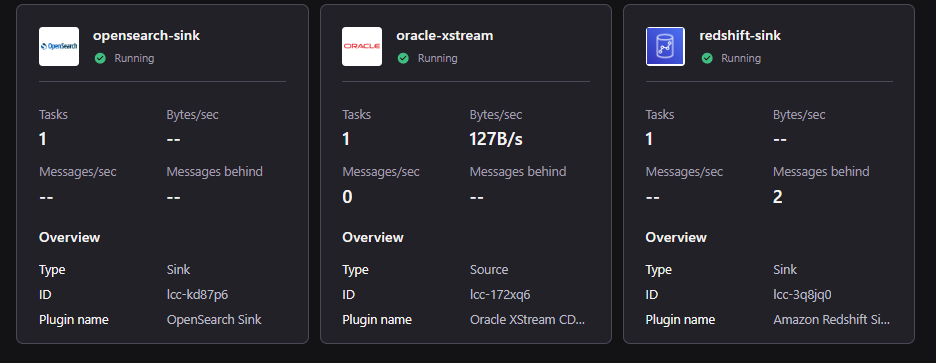
You can inspect the Flink statement used to flag suspicious transactions by looking at the statements running in the compute pool:
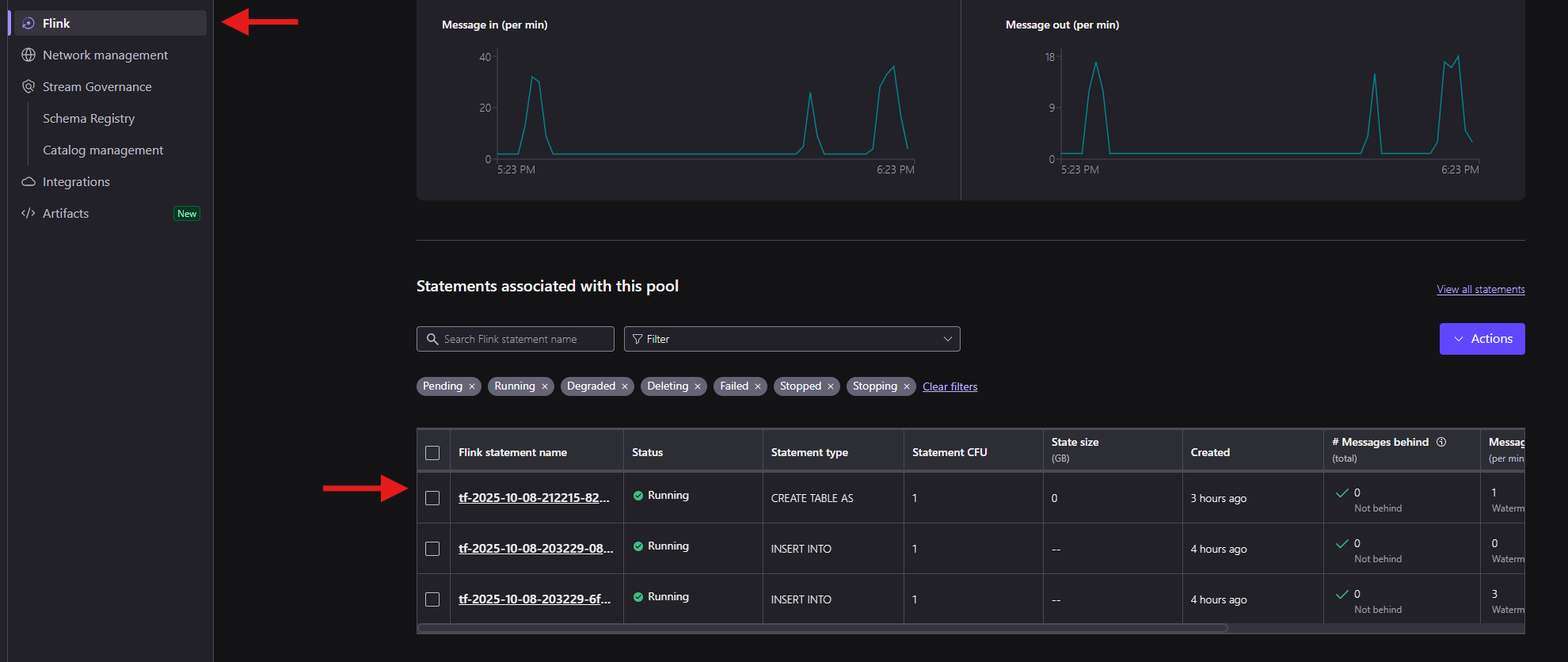
Notice the flagged_user topic created and associated logic to insert all transactions flagged as suspicious:
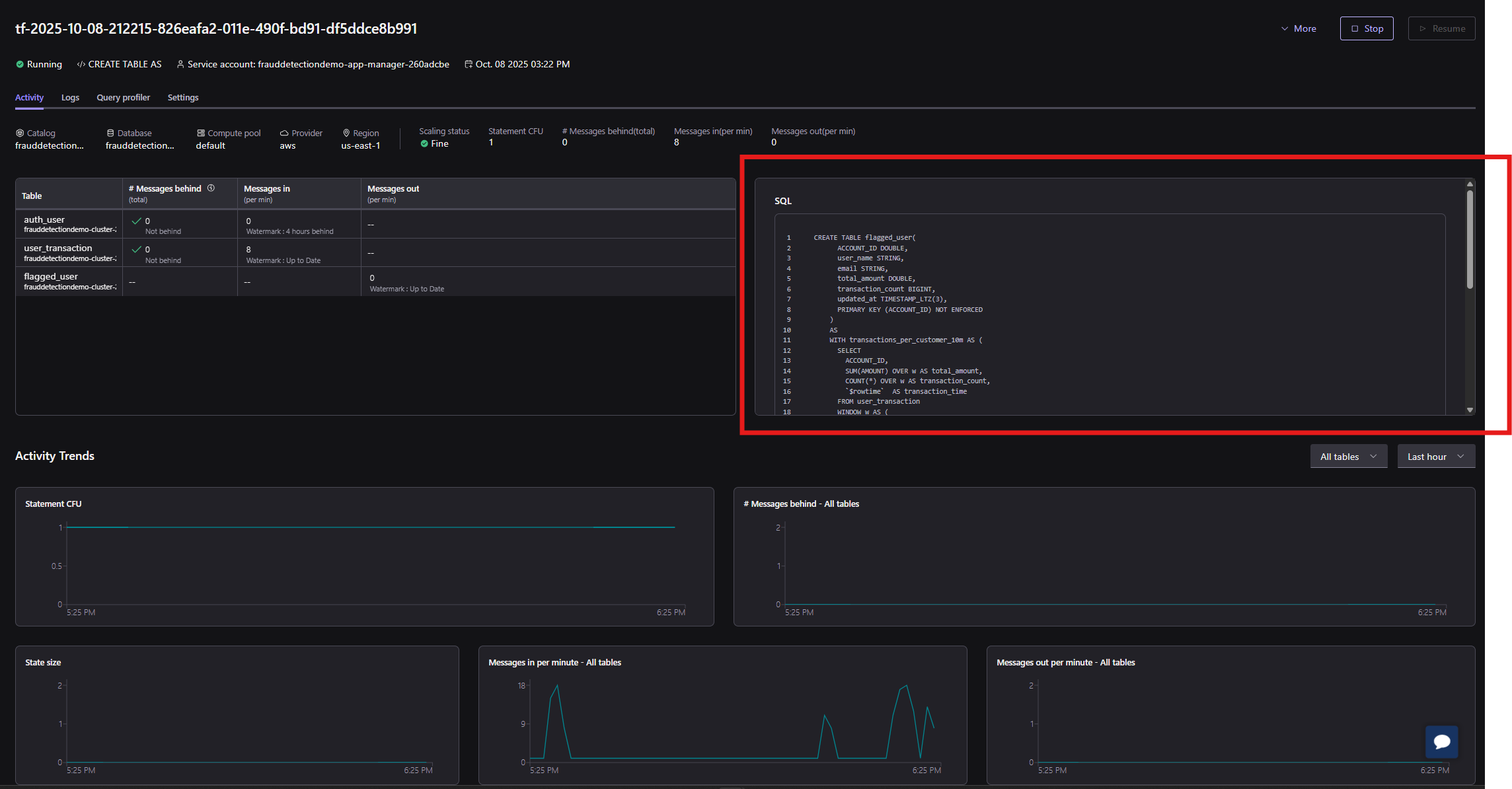
Let’s now simulate some fraudulent transactions!
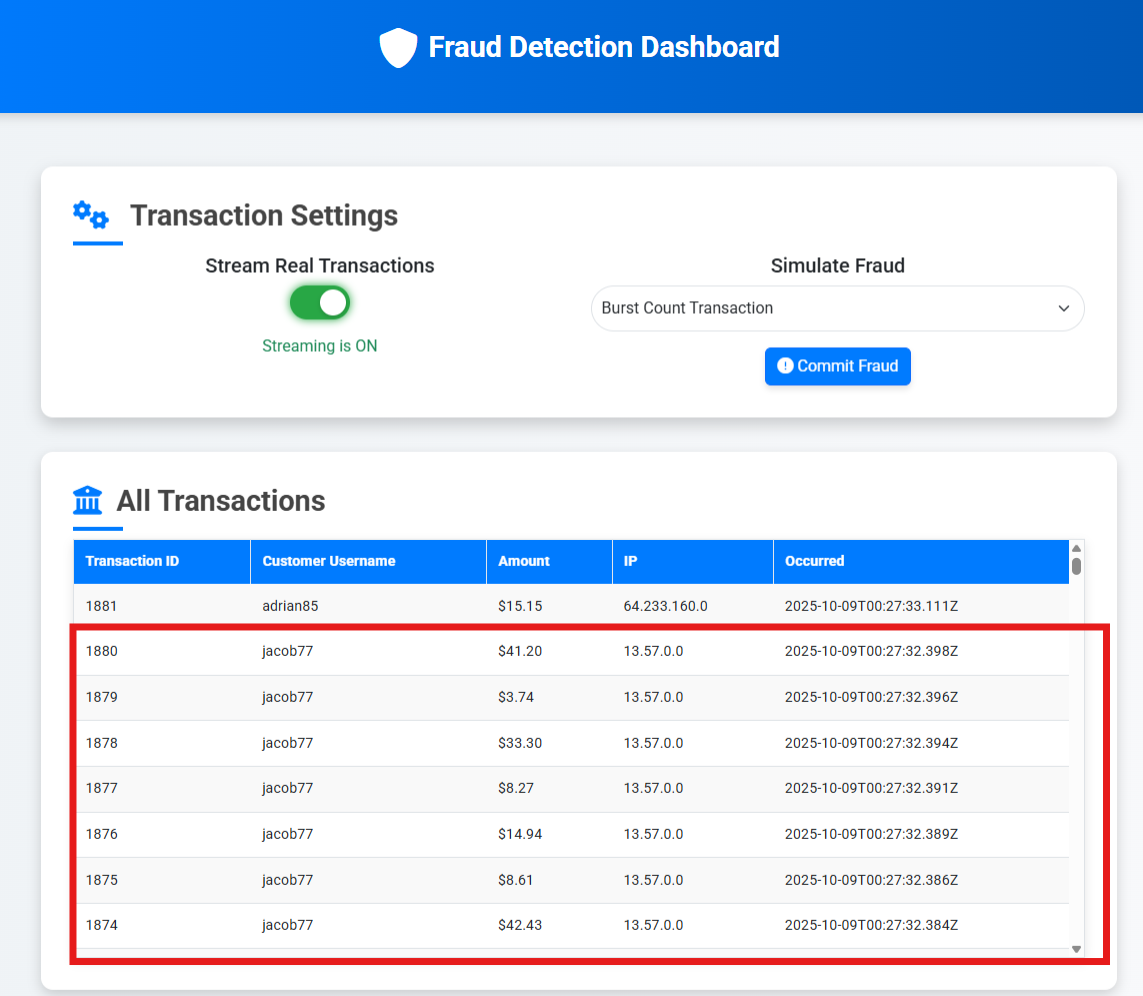
Go back to Fraud UI and click Commit Fraud – the default selected behavior is to produce a burst of transactions for a given user:
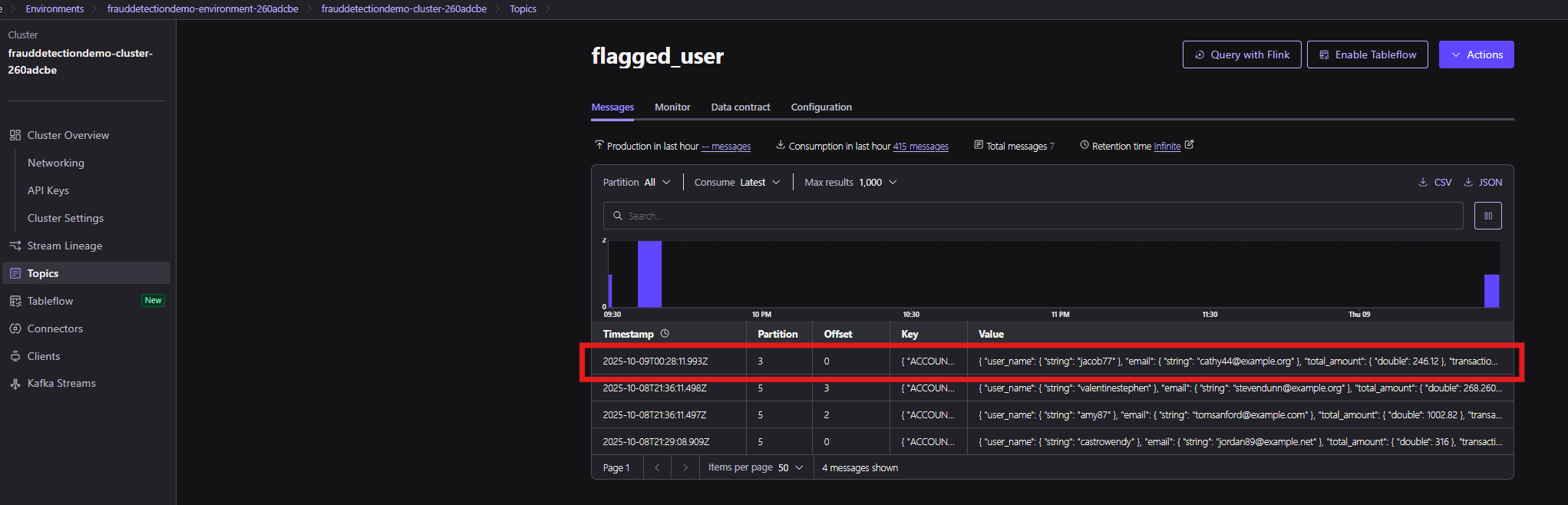
Going into Topics and selecting flagged_user will show you the messages that have been received, and you will notice a new entry for the transactions generated by this fraud simulation:
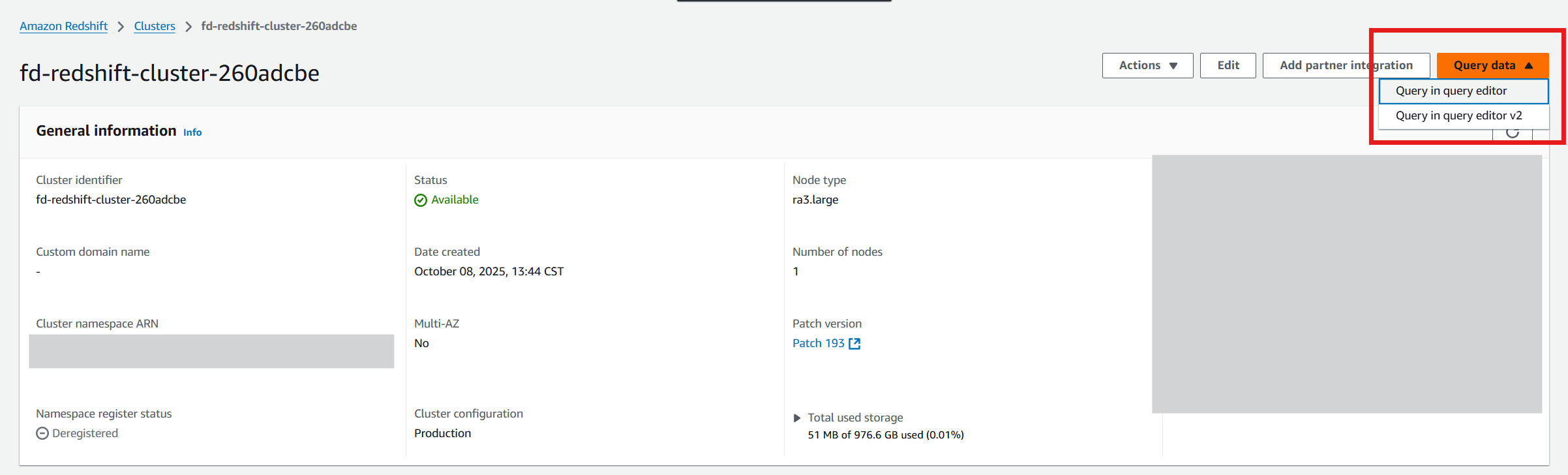
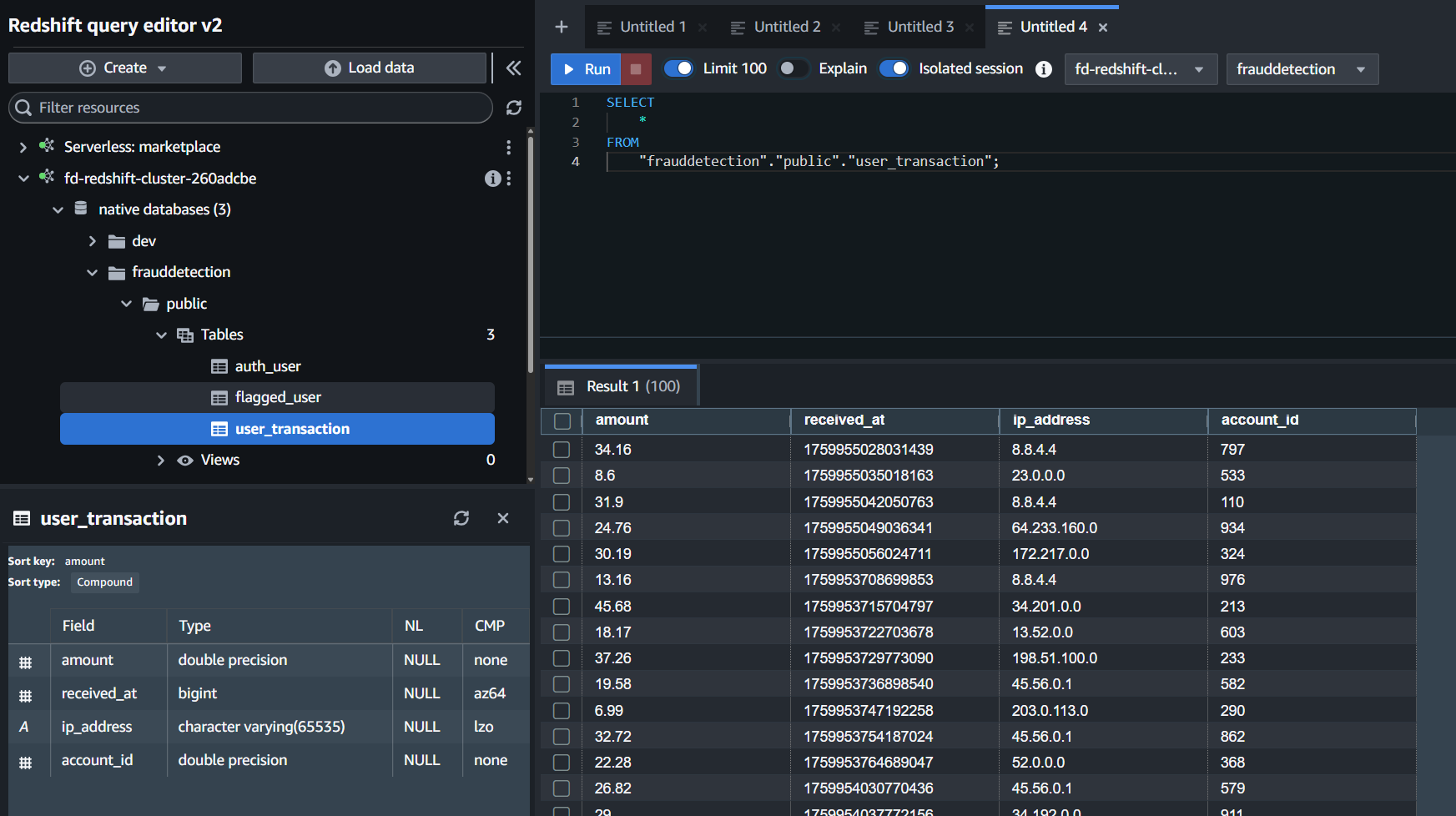
The Redshift Sink will push all transaction data out to Redshift, while the OpenSearch connector will push suspicious activity into OpenSearch. Go back to your AWS Console, select Amazon Redshift, and click on the fd-redshift cluster. Select Query in query editor v2 from the Query data dropdown to inspect the data in your database:
Connect to the database using username admin and password Admin123456!, expand your Redshift Cluster, go to native databases, frauddetection, public, Tables. Look for the user_transaction table. Right click the table and choose Select Table, this will automatically populate a Query on the right side to select all from this table. Click Run and you will see a list of all user transactions:
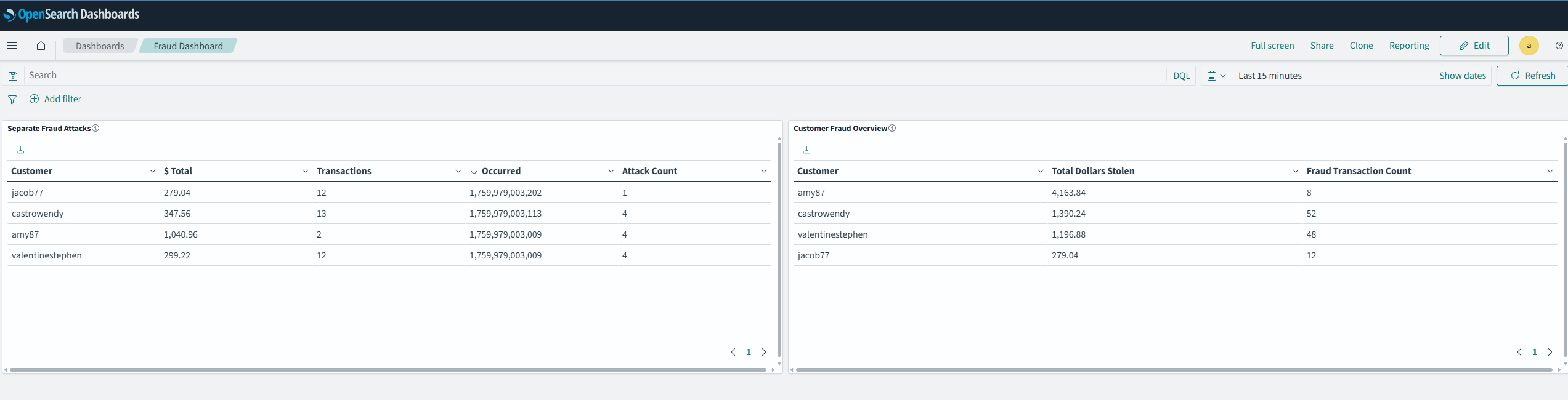
Next, let’s look into OpenSearch to see flagged transactions. Go to Amazon OpenSearch Service in your AWS Console, click OpenSearch Dashboards and go into Index Management, here you’ll be able to see a flagged_user index which will hold all suspicious activity:

Now let’s create a new dashboard using the file fraud_dashboard.ndjson in the repo following these instructions:
Create Dashboard for Flagged users
- Select the side menu from the 3 horizontal lines icon in the top right.
- Select Dashboard Management > Dashboard Management.
- Click Saved Objects menu option on the vertical menu on the right.
- Select Import on the top right.
- Select Import and select the fraud_dashboard.ndjson.
- Wait for it to import.
Now let’s go and find the dashboard:Select the side menu from the 3 horizontal lines icon in the top right.
- Select OpenSearch Dashboard > Dashboards.
- Select Fraud Dashboard from the list view.
- You can see dashboards describing fraud events determined via flink in real-time.
Teardown
Run terraform destroy on each module in the inverse order that we have gone through for apply, starting with terraform destroy on the processing/ module, followed by connector/ and finally with aws_resources/.
Key takeaways
This solution template demonstrates the power of Confluent Cloud when integrated with Amazon services. This solution can scale to hundreds of transactions per second and with some minor modifications to the capacity of Confluent resources deployed, to orders of magnitude more!
Look for Confluent Cloud in AWS Marketplace and benefit from simplified procurement as well as automated provisioning and integration with your Amazon account.
Why AWS Marketplace for on-demand cloud tools
Free to try. Deploy in minutes. Pay only for what you use.
Featured tools are designed to plug in to your AWS workflows and integrate with your favorite AWS services.
Subscribe through your AWS account with no upfront commitments, contracts, or approvals.
Try before you commit. Most tools include free trials or developer-tier pricing to support fast prototyping.
Only pay for what you use. Costs are consolidated with AWS billing for simplified payments, cost monitoring, and governance.
A broad selection of tools across observability, security, AI, data, and more can enhance how you build with AWS.