
Sold by: BeyondTrust Corporation
Deployed on AWS
Identity security platform that detects threats and protects all identities, access, and endpoints.
4.6
Overview
Secure Every Identity Across Every Environment - human, machine, AI agent - across every computing environment
In a world of compromised identities, stolen passwords, and unauthorized access, the "trust but verify" approach is no longer a sustainable security practice. Cloud adoption, increased software automation, the proliferation of non-human / machine accounts, and the use of disparate systems to manage identities are contributing to a sprawl of identities, and the challenge of visualizing and controlling these identities is leaving organizations vulnerable to identity-based attacks that exploit hidden attack paths. In order to protect your organization, you need to gain control of all privileged identities and access so you can defend the hidden attack path into your network.
BeyondTrust is the only identity security platform that allows you to detect threats across your entire identity estate and respond by controlling privileges, access, credentials, and secrets.
- Identity Security Insights - Gain a centralized view of identities, accounts, entitlements, and privileged access across your IT estate and detect threats resulting from compromised identities and privileged access misuse. See Resources below for a no cost Security Risk Assessment
- Password Safe - Manage privileged passwords, accounts, credentials, secrets, and sessions for people and machines, ensuring complete control and security, all while enabling zero trust. - Privileged Remote Access - Extend privileged access security best practices beyond the perimeter by granularly controlling, managing, and auditing remote privileged access for employees, vendors, developers, and cloud ops engineers.
- Remote Support - Supercharge your service desk with secure access and support for any device, any system, from anywhere - including Windows, macOS, Linux, Android, & iOS. See Resources below for a Free Trial.
- Endpoint Privilege Management for Windows and Mac - Remove local admin rights, enforce least privilege dynamically across Windows and macOS, prevent malware and phishing attacks, and control applications without compromising productivity
- Endpoint Privilege Management for Linux - Control root access and enforce least privilege on Linux systems by replacing sudo with a centrally managed and audited privilege management solution.
Empower your business with identity and access security from BeyondTrust. Our integrated platform delivers fast time to value with solutions that are simple to deploy, and with a superior user experience. Our products are optimized for cloud and hybrid environments, and seamlessly integrate with your current environment.
For more information contact us at https://www.beyondtrust.com/sem/aws-marketplace for a custom configuration, product SKU, or private offer.
Highlights
- Simple to deploy with fast time-to-value
- Protects users, AI agents, machine identities, secrets, devices, and access across all modern and traditional environments
- Provides advanced discovery, intelligence, and deep contextual analytics to reduce identity risk, proactively detect threats, and combat attacks across your entire infrastructure
Details
Sold by
Categories
Delivery method
Deployed on AWS
New
Introducing multi-product solutions
You can now purchase comprehensive solutions tailored to use cases and industries.

Features and programs
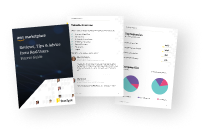
Buyer guide
Gain valuable insights from real users who purchased this product, powered by PeerSpot.
Financing for AWS Marketplace purchases
AWS Marketplace now accepts line of credit payments through the PNC Vendor Finance program. This program is available to select AWS customers in the US, excluding NV, NC, ND, TN, & VT.

Pricing
Custom pricing options
Pricing is based on your specific requirements and eligibility. Request a private offer to receive a custom quote. Sign in to view any offers that have been extended to you.

Legal
Content disclaimer
Vendors are responsible for their product descriptions and other product content. AWS does not warrant that vendors' product descriptions or other product content are accurate, complete, reliable, current, or error-free.
Delivery details
Software as a Service (SaaS)
SaaS delivers cloud-based software applications directly to customers over the internet. You can access these applications through a subscription model. You will pay recurring monthly usage fees through your AWS bill, while AWS handles deployment and infrastructure management, ensuring scalability, reliability, and seamless integration with other AWS services.
Resources
Support
Vendor support
Customer success and satisfaction are the primary goals of BeyondTrust, and we are committed to providing world-class products and exceptional Technical Support services to our customers. Our mission is to deliver consistent, timely, and professional support that meets the needs of customers of all sizes on a global scale. mysupport@beyondtrust.com
AWS infrastructure support
AWS Support is a one-on-one, fast-response support channel that is staffed 24x7x365 with experienced and technical support engineers. The service helps customers of all sizes and technical abilities to successfully utilize the products and features provided by Amazon Web Services.
Updated weekly
By BeyondTrust Corporation

By One Identity
By JumpCloud, Inc.
Sentiment is AI generated from actual customer reviews on AWS and G2
Functionality
Ease of use
Customer service
Cost effectiveness
Positive reviews
Mixed reviews
Negative reviews
AI generated from product descriptions
Centralized Identity and Access Visibility
Provides centralized view of identities, accounts, entitlements, and privileged access across IT estate with threat detection capabilities for compromised identities and privileged access misuse
Privileged Credential Management
Manages privileged passwords, accounts, credentials, secrets, and sessions for human and machine identities with zero trust enforcement
Privileged Remote Access Control
Enables granular control, management, and auditing of remote privileged access for employees, vendors, developers, and cloud operations engineers
Endpoint Privilege Management
Enforces least privilege on Windows, macOS, and Linux systems through local admin rights removal, sudo replacement with centralized audited solutions, and application control
Threat Detection and Analytics
Delivers advanced discovery, intelligence, and deep contextual analytics to detect threats, identify hidden attack paths, and combat identity-based attacks across infrastructure
Single Sign-On (SSO)
Automatically synchronizes users across multiple directories to enable one-click access to corporate applications on-premises and in the cloud with enforced security policies and self-service password reset capabilities.
Multi-Factor Authentication (MFA)
Supports multiple authentication methods including passwordless authentication, passkeys, one-time passcodes, push notifications, biometric data, and security keys with real-time reporting and monitoring of authentication events.
Adaptive Authentication
Delivers multi-layer, context-aware and risk-based protection to minimize common attacks and enforce contextual access security policies based on user behavior and risk assessment.
Identity Lifecycle Management
Provides role-based user provisioning engine with granular access permissions, least-privileged access controls, and automated user account provisioning across AWS services and third-party applications.
Directory Integration
Acts as a secure cloud-based directory with integration capabilities for Active Directory, LDAP, G Suite and other external directories, with pre-built connectors for thousands of third-party web applications and AWS services including AWS IAM, AWS SSO, Amazon Cognito, and Amazon EventBridge.
Cloud Directory Identity Management
Centralize access across all identities with integrations to AWS Identity Center, Google Workspace, Microsoft 365, Active Directory, HRIS platforms, and network infrastructure resources
Single Sign-On and Multi-Factor Authentication
Frictionless, secure access to AWS resources and over 900 pre-built applications with automated user provisioning to Amazon IAM Identity Center and group-based permissions
Cross-Operating System Server and Device Management
Deploy, manage, and remotely assist AWS servers and corporate devices across Windows, macOS, iOS, Linux, AWS Linux AMIs, and Android from a single cloud platform
Passwordless and Conditional Access
Enable phishing-resistant access with passwordless SSO, password management, and conditional access controls to ensure only specific users on trusted devices and networks can access AWS resources
Unified Platform with Zero Trust Capabilities
Combine cloud directory identity management, access management, and cross-OS server and device management with enhanced IAM and device management controls to support Zero Trust security goals
Standard contract
No
No
No
Customer reviews
Isael M.
Complete and Efficient Solution for Remote Support
Reviewed on Sep 25, 2026
Review provided by G2
What do you like best about the product?
I like that BeyondTrust Remote Support is one of the most comprehensive and intuitive platforms on the market. It has a super-efficient, fast audit compatible with multiple platforms, making support an excellent experience. Additionally, the initial setup was super easy and intuitive.
What do you dislike about the product?
I would like BeyondTrust Remote Support to work without the need for the internet, that is, on an internal network. This would improve communication between agents, especially because I often have many MPLS connections between sites.
What problems is the product solving and how is that benefiting you?
BeyondTrust Remote Support resolves incompatibility issues and the use of unofficial platforms, offers efficient auditing and case tracking, and is fast and compatible with multiple platforms, enhancing the support experience.
R Nandasana
Role-based remote access has transformed how our teams manage and secure thousands of devices
Reviewed on Jun 26, 2026
Review from a verified AWS customer
What is our primary use case?
We started using BeyondTrust Remote Support three years ago, managing all our servers and access through it.
Our main use case for BeyondTrust Remote Support is to grant role-based access control to all of the devices in our organization, where we manage more than 1000 servers, over 5000 devices, and 10,000 laptops, making it difficult to manage everything without BeyondTrust.
With BeyondTrust Remote Support, we created many groups; for example, for the product Splunk, we have between 50 to 100 servers in one group. By organizing our servers into groups such as Splunk, firewall, F5, Kribl, and Dynatrace, we can easily grant access to anyone by selecting the group, which also restricts access for others, ensuring security.
What is most valuable?
BeyondTrust Remote Support helps us by providing strong and secure authentication; previously, we used AnyDesk and TeamViewer for remote access, but BeyondTrust Remote Support is more secure, integrates with identity providers, and has excellent features.
BeyondTrust Remote Support offers the best features including secure remote access, session recording, detailed logs of actions taken, and granular permission control, which are significant capabilities I appreciate.
We are using session recording and detailed logs by forwarding all logs to our SIEM solutions such as Splunk and Dynatrace for audit purposes, triggering alerts for unauthorized logins and activities such as repeated failed access attempts.
BeyondTrust Remote Support positively impacts our organization by making it easy to manage servers efficiently; prior to BeyondTrust Remote Support, granting access was manual and insecure, but now I can provide limited access based on groups, enhancing security for our employees and protecting against external threats.
Since we started using BeyondTrust Remote Support, it improved our overall efficiency and security while being more powerful than past tools such as AnyDesk and TeamViewer.
What needs improvement?
To improve BeyondTrust Remote Support, I think the UI could be less complex for first-time users, and some dashboards need more customization, as experienced users find it easier but new users may struggle. Additionally, the product is costly for small organizations such as ours, making it challenging for smaller companies to adopt.
Current features seem sufficient for our needs, and I do not have any further improvements to suggest as it manages all details effectively.
For how long have I used the solution?
I have been working in the security field for seven years.
What do I think about the stability of the solution?
BeyondTrust Remote Support is very stable; I have never seen any downtime.
What do I think about the scalability of the solution?
Its scalability is excellent, designed for large organizations; you can add countless servers, laptops, PCs, and more without issue.
How are customer service and support?
Customer support is very good, with quick responses from a highly technical team, so I never encounter any issues.
Which solution did I use previously and why did I switch?
We previously used AnyDesk and TeamViewer.
What was our ROI?
While BeyondTrust Remote Support is pricey for small companies, larger companies find good returns on investment due to its benefits.
We save a lot of time and money with BeyondTrust Remote Support; while we pay a bit more compared to other solutions such as TeamViewer and AnyDesk, it simplifies compliance reporting for remote administrative sessions and helps considerably.
Which other solutions did I evaluate?
We did not evaluate other options before choosing BeyondTrust Remote Support because it is one of the best in the market, so we purchased it directly.
What other advice do I have?
I rate BeyondTrust Remote Support a nine out of ten.
I choose a nine because some advanced configuration options require a bit of training, and customization is needed on the dashboard, as the current UI does not visualize logs as effectively as other products.
BeyondTrust Remote Support is a more secure product, which is why we chose it, and I appreciate this product for its security features.
BeyondTrust Remote Support is completely accurate, with no downtime; if you are inactive for five minutes, your session automatically terminates, and a network interruption also disconnects you, requiring a reconnection and two-factor authentication for login.
I advise others looking into BeyondTrust Remote Support to purchase it if they have a large organization with many IT devices, as it simplifies operations, auditing, compliance, and security.
Which deployment model are you using for this solution?
Public Cloud
If public cloud, private cloud, or hybrid cloud, which cloud provider do you use?
Amazon Web Services (AWS)
Ahtisham Mirza
Remote support has streamlined daily troubleshooting and now resolves user issues more efficiently
Reviewed on Jun 18, 2026
Review provided by PeerSpot
What is our primary use case?
My main use case for BeyondTrust Remote Support is remote assistance to people. I use BeyondTrust Remote Support for troubleshooting day-to-day, and sometimes for remote access as well. When someone reports any issue, we ask them to join our company portal, and from there we can access it and help them resolve the issue.
What is most valuable?
The best features BeyondTrust Remote Support offers are remote assistance to end users. You simply tell them to join through a link and click on your name or through your passcode. It is very easy to let the end user know how to connect, even if they are not technical.
BeyondTrust Remote Support has positively impacted my organization because it helped us troubleshoot remote people much more easily. Otherwise, doing that on a call or on a Teams or Zoom meeting is not easy. We get control of the screen, so it is much easier to provide support.
What needs improvement?
I am not certain about the billing of BeyondTrust Remote Support, but I have heard that it is a bit expensive, so the billing part could be improved.
I rate it an eight because of the licensing issue. I know it is expensive, and if we have multiple support people on a shift, we have to log out to release the license.
For how long have I used the solution?
I have been using BeyondTrust Remote Support for around five years.
What do I think about the stability of the solution?
BeyondTrust Remote Support is stable in our experience.
What do I think about the scalability of the solution?
BeyondTrust Remote Support's scalability requires us to just buy more licenses to support more people.
How are customer service and support?
We never needed to use customer support for BeyondTrust Remote Support.
Which solution did I use previously and why did I switch?
I did not previously use a different solution; we started with BeyondTrust Remote Support from the beginning.
Which other solutions did I evaluate?
We have not evaluated other options before choosing BeyondTrust Remote Support; it was a straightforward decision for us.
What other advice do I have?
Since using BeyondTrust Remote Support, it is very productive because we can let people join our link and we can help them in a much more efficient way than having them work on a call. The features are sufficient.
My advice to others looking into using BeyondTrust Remote Support is that I am satisfied. It is a good product. I give this product an overall rating of eight out of ten.
reviewer2857998
Dedicated remote access has streamlined customer support and has boosted satisfaction significantly
Reviewed on Jun 17, 2026
Review provided by PeerSpot
What is our primary use case?
My main use case for BeyondTrust Remote Support is providing end user customer support remotely. A quick, specific example of how I use BeyondTrust Remote Support to support end users is that we use it to provide remote support to end users. The user goes on the portal and initiates the session, and our support team provides the support remotely. Whatever needs to be done on a computer, we do it remotely.
What is most valuable?
The best features that BeyondTrust Remote Support offers include a very quick and easy process to initiate, and it works fine without crashes. It gives you UAC-level access, so you do not have to deal with that. You can always install their jump agent, which will stay always on, which helps when you need to restart the computer multiple times.
BeyondTrust Remote Support is a complete and robust remote support solution which offers everything you need. Either you need shell access, GUI access, CMD access, or file-based access to upload files on the computers.
BeyondTrust Remote Support has positively impacted our organization because it resolved our main issue. As an MSP, when we need to provide support to other customers, we use BeyondTrust Remote Support. It resolves our issues, and we use it extensively. Now we can rely on it very much.
A specific outcome related to BeyondTrust Remote Support is that it improved customer satisfaction up to eighty to ninety percent. It also reduced the tools we were using because sometimes we were using Zoom and other tools, trying Teams. So it reduced that as well.
What needs improvement?
BeyondTrust Remote Support can be improved because they need to update their UI and they have slow performance metrics on low bandwidth. That is a significant issue and it is very expensive.
Additional improvements needed for BeyondTrust Remote Support include reporting, which would be a good addition, and addressing the slow performance issue. They also need to update their UI.
For how long have I used the solution?
I have been using BeyondTrust Remote Support for five years.
What do I think about the stability of the solution?
BeyondTrust Remote Support is stable.
What do I think about the scalability of the solution?
BeyondTrust Remote Support's scalability is fine and good.
How are customer service and support?
BeyondTrust Remote Support's customer support is also good.
Which solution did I use previously and why did I switch?
I previously used TeamViewer along with CyberArk and some other tools, and we switched to BeyondTrust Remote Support because it has all the capabilities in one, so you do not have to change tools based on your support requirement. This is why we moved there.
What was our ROI?
I have not seen a return on investment for BeyondTrust Remote Support, and I do not have any relevant metrics with us, such as money or time saved or fewer employees needed.
What's my experience with pricing, setup cost, and licensing?
My experience with BeyondTrust Remote Support regarding pricing, setup cost, and licensing is that pricing is high. Setup cost is also high, though setup cost is less than the pricing and the license, which are high.
Which other solutions did I evaluate?
Before choosing BeyondTrust Remote Support, I evaluated other options, including TeamViewer and another one, and it was a winner because it can do more. It has everything.
What other advice do I have?
My advice for others looking into using BeyondTrust Remote Support is that if you need something to remotely support your clients, customers, and teams, it is the best tool you can get in the market. I give this product a review rating of nine.
Justin V.
Facilitates Reliable Unattended Access Simplifying System Maintenance and Technical Support
Reviewed on Jun 17, 2026
Review provided by G2
What do you like best about the product?
I like its secure remote connection which has great end to end encryption and it allows me to use it on macOS, Windows and mobile and I appreciate that file transfer to remote devices is super fast.
What do you dislike about the product?
The platform is very consistent with performance and the customer support is very helpful so I have nothing that I like least about it.
What problems is the product solving and how is that benefiting you?
It makes offering remote support easy making it easy to quickly diagnose and resolve issues which helps ensure critical systems remain operational at all times.