Sold by: Verified Images
Deployed on AWS
AWS Free Tier
This product has charges associated with it for the hardened, security-maintained image. A CIS-hardened Debian 13 (Trixie) image with automatic security updates, SSH lockdown, fail2ban, and auditd, security-maintained by Verified Images.
Overview
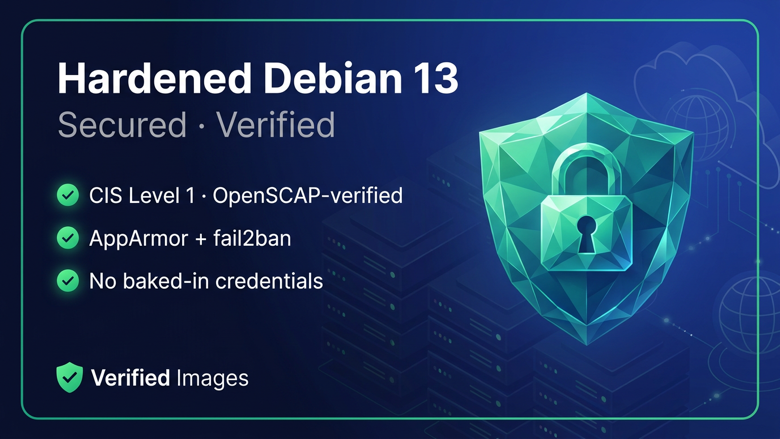
This is a repackaged open source software product wherein additional charges apply for the hardened, security-maintained image (rebuilt and re-verified as new CVEs are disclosed).
Verified Images publishes a hardened, production-ready build of Debian 13 (Trixie). The image ships secure by default and stays current automatically, so you can launch trusted Linux infrastructure in minutes.
What's included:
- A security-hardened baseline aligned with the CIS Debian Linux Benchmark, Level 1 (Server profile), independently verified with OpenSCAP, evaluated against the newest published compatible SCAP Security Guide profile at scan time (ssg-debian12; a native Debian 13 profile was not yet published) (100.0% of applicable Level 1 controls pass, with 100 documented cloud-compatibility exceptions; verification report available on request): SSH password authentication and root login are disabled, a kernel/network sysctl hardening profile is applied, password-aging and umask defaults are set, and no default passwords or SSH keys are baked in. This hardening also maps to system-hardening requirements in PCI DSS, NIST 800-53, and HIPAA technical safeguards. Verified Images is not affiliated with or certified by the Center for Internet Security; CIS Benchmarks is a trademark of CIS.
- SSH brute-force protection: fail2ban ships enabled with a tuned sshd jail, banning repeat offenders automatically without ever affecting legitimate key-based logins.
- Audit trail out of the box: auditd records changes to identity files, sudoers, and the SSH server configuration with searchable audit keys.
- AppArmor mandatory access control installed and enabled (Debian does not ship it by default; Ubuntu-equivalent MAC coverage is added here).
- Automatic security updates enabled out of the box (unattended-upgrades), keeping the OS patched against CVEs without manual intervention. Automatic reboots are off by default and can be enabled with a maintenance window of your choice (victl enable-auto-reboot).
- The victl management CLI: security status, a full hardening report, on-demand security updates, health checks, and the auto-reboot toggle, all in one command.
- A login banner showing hardening status, pending updates, and the victl quick reference.
- AWS Systems Manager (SSM) agent preinstalled for keyless, auditable instance management.
- Ongoing security maintenance: the hardened image is rebuilt and re-verified against the CIS benchmark as new CVEs are disclosed, so new launches stay current.
Debian 13 (Trixie) is the current Debian stable release. Debian is a registered trademark of Software in the Public Interest, Inc. (SPI); Verified Images is not affiliated with, endorsed by, or sponsored by the Debian project or SPI.
Highlights
- Secure by default, verified - hardened to CIS Debian Benchmark Level 1 and independently OpenSCAP-verified (100.0% of applicable Level 1 controls, evaluated against the ssg-debian12 profile as no native Debian 13 profile is published yet); SSH password/root login disabled, fail2ban, auditd audit trail, AppArmor enabled, sysctl and login hardening, zero baked-in credentials.
- Stays patched, on your terms - unattended security updates out of the box, optional automatic reboot window, and the victl CLI for status, hardening reports, and on-demand updates; SSM agent preinstalled.
- Security-maintained - the hardened image is rebuilt and re-verified against the CIS benchmark as new CVEs are disclosed, so new launches ship current.
Details
Sold by
Categories
Delivery method
Delivery option
64-bit (x86) Amazon Machine Image (AMI)
Latest version
Operating system
Debian 13
Deployed on AWS
New
Introducing multi-product solutions
You can now purchase comprehensive solutions tailored to use cases and industries.

Features and programs
Financing for AWS Marketplace purchases
AWS Marketplace now accepts line of credit payments through the PNC Vendor Finance program. This program is available to select AWS customers in the US, excluding NV, NC, ND, TN, & VT.

Pricing
Pricing is based on actual usage, with charges varying according to how much you consume. Subscriptions have no end date and may be canceled any time.
Additional AWS infrastructure costs may apply. Use the AWS Pricing Calculator to estimate your infrastructure costs.
If you are an AWS Free Tier customer with a free plan, you are eligible to subscribe to this offer. You can use free credits to cover the cost of eligible AWS infrastructure. See AWS Free Tier for more details. If you created an AWS account before July 15th, 2025, and qualify for the Legacy AWS Free Tier, Amazon EC2 charges for Micro instances are free for up to 750 hours per month. See Legacy AWS Free Tier for more details.
Dimension | Cost/hour |
|---|---|
t3.small Recommended | $0.06 |
t3.micro | $0.05 |
m5.xlarge | $0.25 |
m5.2xlarge | $0.40 |
t3.large | $0.16 |
t3.2xlarge | $0.40 |
t3.medium | $0.10 |
c5.large | $0.16 |
c5.xlarge | $0.25 |
t3.xlarge | $0.25 |
Vendor refund policy
Refunds are handled through AWS Marketplace in accordance with AWS Marketplace's standard refund policy. To request a refund, buyers should submit a request via AWS Marketplace. For product-related questions, contact support@verified-images.com .

Legal
Vendor terms and conditions
Upon subscribing to this product, you must acknowledge and agree to the terms and conditions outlined in the vendor's End User License Agreement (EULA) .
Content disclaimer
Vendors are responsible for their product descriptions and other product content. AWS does not warrant that vendors' product descriptions or other product content are accurate, complete, reliable, current, or error-free.
Delivery details
64-bit (x86) Amazon Machine Image (AMI)
Amazon Machine Image (AMI)
An AMI is a virtual image that provides the information required to launch an instance. Amazon EC2 (Elastic Compute Cloud) instances are virtual servers on which you can run your applications and workloads, offering varying combinations of CPU, memory, storage, and networking resources. You can launch as many instances from as many different AMIs as you need.
Version release notes
Initial release: hardened Debian 13 (Trixie) image with automatic security updates, SSH lockdown, AppArmor, fail2ban, auditd, victl CLI, and SSM agent preinstalled. CIS Level 1 100.0% (OpenSCAP-verified against the ssg-debian12 profile; a native Debian 13 profile is not yet published; 100 documented cloud-compatibility exceptions).
Additional details
Usage instructions
-
Launch this AMI from AWS Marketplace. Choose an instance type (t3.small recommended) and assign your own EC2 key pair for SSH access.
-
Security group: open TCP 22 (SSH) from your IP. No other ports are required by the base image.
-
Connect via SSH as the "admin" user with your key pair: ssh -i /path/to/your-key.pem admin@<public-ip> Password authentication and root login are disabled by design. Use "sudo" for privileged commands.
-
Automatic security updates are enabled (unattended-upgrades). No action needed; the OS patches itself for security updates. Manage and inspect the security posture with the built-in CLI: victl status (services, pending updates, reboot-pending state) victl hardening-report (everything this image hardens) sudo victl update-now (apply security updates immediately) sudo victl enable-auto-reboot 03:30 (optional automatic reboot window; off by default)
-
(Optional) Manage the instance without SSH keys using AWS Systems Manager: attach an IAM role with the AmazonSSMManagedInstanceCore policy, and the instance will appear in Systems Manager.
-
Questions: support@verified-images.com . Include your instance ID and a description of the issue.
Support
Vendor support
support@verified-images.com (Verified Images, a DBA of CarmelTech LLC).
AWS infrastructure support
AWS Support is a one-on-one, fast-response support channel that is staffed 24x7x365 with experienced and technical support engineers. The service helps customers of all sizes and technical abilities to successfully utilize the products and features provided by Amazon Web Services.
Similar products

This product has charges associated with it for providing hardening and seller premium support. Engineered for mission-critical, regulated environments, this STIG-compliant Debian 13 image delivers a fully hardened security baseline trusted across government, defense, healthcare, and financial sectors.

This product has charges associated with it for providing hardening and seller premium support. Engineered for mission-critical, regulated environments, this STIG-compliant Debian 13 image delivers a fully hardened security baseline trusted across government, defense, healthcare, and financial sectors.
Rust-native SBOM / SCA and vulnerability management server. Ingests CycloneDX and SPDX SBOMs, scores findings with CVSS and EPSS, and serves results over a REST API. Sub-second boot. Hardened AMI.

This product has charges associated with it for hardening, update maintenance, and seller support. Docker on Hardened Red Hat Enterprise Linux 8 (RHEL 8) (ARM) is rigorously secured following STIG guidelines, recognized through a consensus-driven process as the industry benchmark for secure configuration, optimizing both security and efficiency.
This product has charges associated with the pre-built hardening to the CIS Benchmarks™ and recurring maintenance. The CIS Hardened Images® are hardened in accordance with the associated CIS Benchmarks, an industry best practice for secure configuration. Reduce cost, time, and risk by building your AWS solution with CIS AMIs.
This product has charges associated with the pre-built hardening to the CIS Benchmarks™ and recurring maintenance. The CIS Hardened Images® are hardened in accordance with the associated CIS Benchmarks, an industry best practice for secure configuration. Reduce cost, time, and risk by building your AWS solution with CIS AMIs.
This product has charges associated with the pre-built hardening to the CIS Benchmarks™ and recurring maintenance. The CIS Hardened Images® are hardened in accordance with the associated CIS Benchmarks, an industry best practice for secure configuration. Reduce cost, time, and risk by building your AWS solution with CIS AMIs.
This product has charges associated with the pre-built hardening to the CIS Benchmarks™ and recurring maintenance. The CIS Hardened Images® are hardened in accordance with the associated CIS Benchmarks, an industry best practice for secure configuration. Reduce cost, time, and risk by building your AWS solution with CIS AMIs.
Customer reviews
No customer reviews yet
Be the first to review this product . We've partnered with PeerSpot to gather customer feedback. You can share your experience by writing or recording a review, or scheduling a call with a PeerSpot analyst.