
Sold by: IBM Software
Deployed on AWS
Free Trial
AWS Free Tier
IBM NS1 Connect Managed DNS offers DNS management and traffic steering for optimized performance. Enhance your DNS Strategy today.
IBM NS1 Connect is a managed authoritative DNS and traffic steering service for AWS, multi-cloud, and hybrid environments, operating on a global anycast network with 26 PoPs across 6 continents and a 100% uptime SLA for DNS resolution, using real-time data from Amazon CloudWatch and application health signals.
4.5
Overview

Video
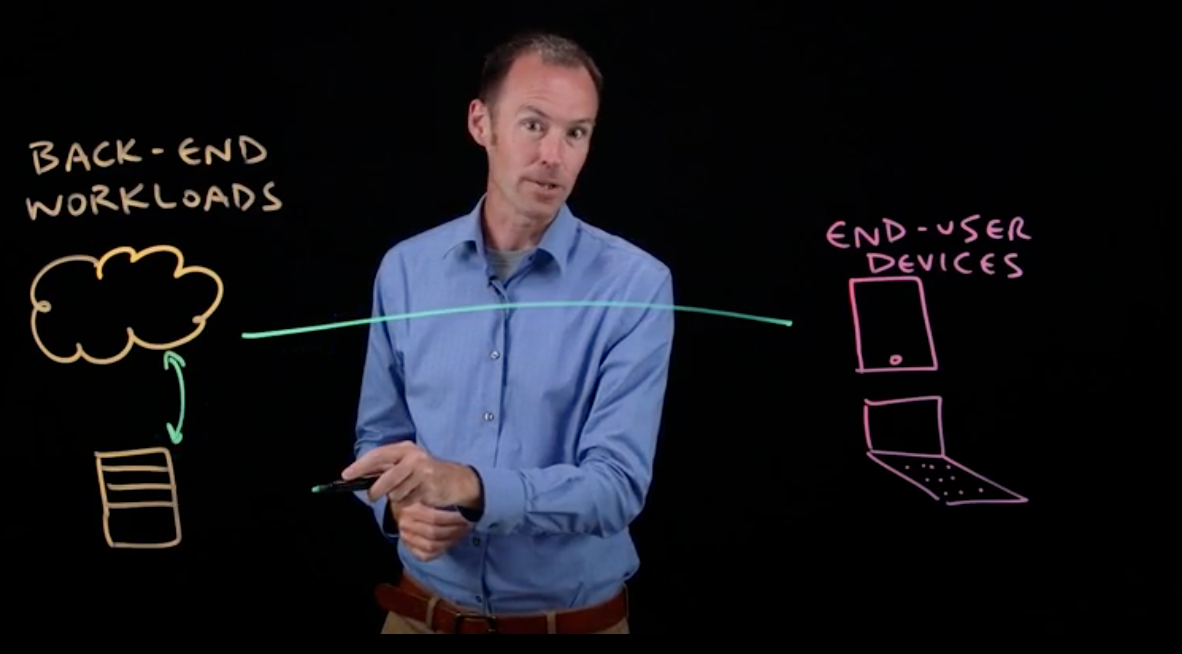
Overview of IBM NS1 Connect Managed DNS

Video
What is Traffic Steering
Video
Simplify HTTPS Management
Save 40% on annual IBM NS1 Connect subscriptions using Express Private Offer.
Offer ends 31st October 2026. Renewals are excluded.
IBM NS1 Connect is a managed authoritative DNS and traffic steering service for applications deployed across AWS, multi-cloud, and hybrid environments. The service operates on a global anycast network spanning 26 points of presence (PoPs) across 6 continents and provides a 100% uptime SLA for DNS resolution.
It integrates with AWS services including Amazon EC2, Amazon EKS, Elastic Load Balancing (ALB/NLB), Amazon CloudFront, AWS Global Accelerator and Amazon CloudWatch.
NS1 Connect enables DNS-based traffic routing using real-time data such as Real user Metrics (RUM), third party QoE data, CloudWatch metrics, health checks, latency, geographic location, and application performance signals.
The platform supports primary and secondary DNS configurations across AWS, other cloud providers, and on-premises infrastructure.
Key Capabilities
Available and Adaptable
- Global anycast DNS network with 26 PoPs across 6 continents for distributed query handling - 100% uptime SLA for DNS resolution.
- Traffic steering using real-time metrics, health checks, latency, and RUM data.
- Multi-cloud and multi-CDN routing across AWS, other cloud providers, and on-prem environments.
Agile and Secure
- API-First integration with infrstructure-as-a-service (Kubernetes, Ansible, Piulimi) Kubernetes ExternalDNS, AWS services.
- Observability integrations including Amazon CloudWatch, Datadog, Splunk, AppDynamics, Catchpoint, ThousandEyes, Pingdom.
- Security features including DNSSEC, TSIG, IP allow-listing, RBAC, SAML/SSO, AWS IAM read-only integration.
- ISO/IEC 27001 certification. SOC 2 Type II available via AWS Vendor Insights.
Frequently Asked Questions
How does NS1 Connect integrate with Amazon Route 53?
AWS and IBM offer two complementary architecture patterns that help customers expand their use of Amazon Route 53 while meeting advanced performance and resiliency requirements. With IBM Cloud Sync (an optional add-on), zones, records, traffic-steering metadata, and health checks synchronize bidirectionally between NS1 Connect and Route 53 without DNS zone-transfer (XFR). Cloud Sync also backs up NS1 Connect DNS configurations to a customer-owned Amazon S3 bucket for fast restore.
Which AWS services are used for traffic steering decisions?
NS1 Connect ingests Amazon CloudWatch metrics directly into Filter Chains, so DNS answers reflect the live health and performance of Amazon EKS, EC2, ELB, CloudFront, and other AWS resources. In addition, the Filter Chain engine ingests telemetry from third-party observability and RUM providers (Datadog, Catchpoint, ThousandEyes, AppDynamics), enabling consistent multi-cloud and multi-provider decisioning. Cloud Sync backs up NS1 Connect DNS configurations to a customer-owned Amazon S3 bucket.
What scale does the service support?
Service tiers support query volumes from tens of millions per month to custom volumes at higher scales. NS1 Essentials handles 30-80M queries/month; NS1 Standard handles 50M-1B queries/month; NS1 Premium is custom-priced and scales beyond 1B/month.
Can NS1 Connect be used as primary or secondary DNS?
Yes. It can function as either a primary authoritative DNS provider or as a secondary provider.
What security features are included?
The platform is ISO 27001 certificatied with SOC 2 Type II available on request. It supports DNSSEC, TSIG, IP allow-listing, RBAC, SAML/SSO authentication and AWS IAM integration.
Does NS1 Connect support multi-CDN routing?
Yes. It can route traffic across Amazon CloudFront and third-party CDNs based on performance using real-time RUM, CloudWatch, Catchpoint and ThousandEyes signals, including cost-aware and contract-aware shaping.
Does NS1 support multi-cloud and hybrid environments?
Yes. Traffic routing policies can be applied across AWS, other public clouds, and on-premises infrastructure. Customers commonly run NS1 Connect as the global DNS decisioning layer in front of workloads spanning multiple providers, with per-zone or per-record steering policies. Where Amazon Route 53 is also in use, IBM Cloud Sync (optional add-on) keeps zones, records, and steering metadata aligned bidirectionally without DNS zone-transfer (XFR).
How does it fit DevOps workflows?
NS1 Connect provides API access and integrates with Terraform, Ansible, Pulumi, and Kubernetes ExternalDNS integration for automatic DNS record management; webhooks and APIs for CI/CD pipelines.
Is a free trial available?
Yes. A 30-day free trial is available through AWS Marketplace.
Highlights
- Global anycast network: Primary and secondary DNS built with a fully redundant architecture at 26 locations to meet a 100% uptime SLA.
- Real-time DNS traffic steering using Real User Metrics (RUM), Amazon CloudWatch metrics, third party QoE data, latency, and health checks.
- DevOps ready integrations with EC2, EKS, ALB/NLB, CloudFront, Terraform, Ansible, Pulumi, Global Accelerator, Datadog, Splunk, ThousandEyes.
Get personalized pricing in minutes - New
If qualified, an express private offer gets you custom pricing and terms. Finalize your purchase in the AWS Marketplace console.
Details
Sold by
Delivery method
Deployed on AWS
Features and programs
Buyer guide
Gain valuable insights from real users who purchased this product, powered by PeerSpot.

Financing for AWS Marketplace purchases
AWS Marketplace now accepts line of credit payments through the PNC Vendor Finance program. This program is available to select AWS customers in the US, excluding NV, NC, ND, TN, & VT.

Pricing
Free trial
Try this product free according to the free trial terms set by the vendor.
Pricing is based on the duration and terms of your contract with the vendor, and additional usage. You pay upfront or in installments according to your contract terms with the vendor. This entitles you to a specified quantity of use for the contract duration. Usage-based pricing is in effect for overages or additional usage not covered in the contract. These charges are applied on top of the contract price. If you choose not to renew or replace your contract before the contract end date, access to your entitlements will expire.
Additional AWS infrastructure costs may apply. Use the AWS Pricing Calculator to estimate your infrastructure costs.
Dimension | Description | Cost/12 months |
|---|---|---|
Essentials | Includes 30M queries 1000 records 1 Filter Chain 2 Monitors | $1,188.00 |
Essentials with Route 53 DNS syncronization | Includes 50M queries per month, 1000 records, 1 Traffic Steering Filter Chain, 2 Monitors, 1 Cloud Sync Connection | $3,288.00 |
Essentials Large Bundle | Includes 80M queries 1000 records 1 Filter Chain 2 Monitors | $4,188.00 |
Standard-50 | 50M Queries, 1000 Records, 1 Traffic Steering Filter Chains, 2 Monitors, 50 HTTPS Redirects, Spike Protection, Zone Backup/Restore | $4,188.00 |
Standard-150 | 150M Queries, 1000 Records, 3 Traffic Steering Filter Chains, 7 Monitors, 50 HTTPS Redirects, Spike Protection, Zone Backup/Restore | $9,426.00 |
Standard-250 with Route 53 DNS syncronization | Includes 250M Queries per month, 2000 Records, 25 Traffic Steering Filter Chains, 25 Monitors, 50 HTTPS Redirects, Spike Protection, Zone Backup/Restore, 1 Cloud Sync Connection | $22,006.80 |
Standard-500 | 500M Queries, 5000 Records, 50 Traffic Steering Filter Chains, 50 Monitors, 50 HTTPS Redirects, Spike Protection, Zone Backup/Restore | $31,096.80 |
Standard-1000 | 1Bn Queries, 10000 Records, 100 Traffic Steering Filter Chains, 100 Monitors, 50 HTTPS Redirects, Spike Protection, Zone Backup/Restore | $46,546.80 |
Standard-1000 with Route 53 DNS syncronization | Includes 1Bn Queries per month, 10000 Records, 100 Traffic Steering Filter Chains, 100 Monitors, 50 HTTPS Redirects, Spike Protection, Zone Backup/Restore, 1 Cloud Sync Connection | $47,446.80 |
Dimension | Description | Cost/unit |
|---|---|---|
Overage Rate Total Queries (Requests) | Overage Rate Total Queries (Requests) | $50.00 |
Overage Rate DNS Records | Overage Rate DNS Records | $75.00 |
Overage Rate Filter Chains (Resource Units) | Overage Rate Filter Chains (Resource Units) | $103.50 |
Overage Rate Monitors (Jobs) | Overage Rate Monitors (Jobs) | $3.45 |
Overage Rate China Requests | Overage Rate China Requests | $172.00 |
Steering Standard Interaction Overage | Steering Standard Interaction Overage | $20.39 |
GSLB Standard Interaction Overage | GSLB Standard Interaction Overage | $20.39 |
Steering Advanced Interaction Overage | Steering Advanced Interaction Overage | $32.39 |
GSLB Advanced Interaction Overage | GSLB Advanced Interaction Overage | $32.39 |
Enterprise Request Overage | Enterprise Request Overage | $8.27 |
Vendor refund policy
All orders are non-cancellable and all fees and other amounts that you pay are non-refundable.
Custom pricing options
Request a private offer to receive a custom quote.

Legal
Vendor terms and conditions
Upon subscribing to this product, you must acknowledge and agree to the terms and conditions outlined in the vendor's End User License Agreement (EULA) .
Content disclaimer
Vendors are responsible for their product descriptions and other product content. AWS does not warrant that vendors' product descriptions or other product content are accurate, complete, reliable, current, or error-free.
Delivery details
Software as a Service (SaaS)
SaaS delivers cloud-based software applications directly to customers over the internet. You can access these applications through a subscription model. You will pay recurring monthly usage fees through your AWS bill, while AWS handles deployment and infrastructure management, ensuring scalability, reliability, and seamless integration with other AWS services.
Resources
Vendor resources
Support
Vendor support
Self Service on All tiers including Free Trial
Connect with your peers at IBM NS1 Connect Community. https://ibm.biz/Bdbz3K Review our comprehensive IBM NS1 Connect Documentation. https://ibm.biz/Bdbz3b
IBM Customer Support Engineer: Essentials, Standard and Premium Tiers
If you have IBM Advanced Support, you receive prioritized case handling and shorter response times. https://ibm.biz/Bdbz3J
Click below to open a case to submit a request for help from an experienced Customer Support Engineer.
AWS infrastructure support
AWS Support is a one-on-one, fast-response support channel that is staffed 24x7x365 with experienced and technical support engineers. The service helps customers of all sizes and technical abilities to successfully utilize the products and features provided by Amazon Web Services.
Updated weekly

By F5, Inc.
By Cloud Infrastructure Services
Top
25
In Network Infrastructure
Sentiment is AI generated from actual customer reviews on AWS and G2
Functionality
Ease of use
Customer service
Cost effectiveness
Positive reviews
Mixed reviews
Negative reviews
AI generated from product descriptions
Global Anycast Network Architecture
Fully redundant global anycast DNS network with 26 points of presence across 6 continents providing 100% uptime SLA for DNS resolution.
Real-time Traffic Steering
DNS-based traffic routing using real-time data including Real User Metrics (RUM), Amazon CloudWatch metrics, third-party QoE data, latency measurements, and health checks.
Multi-cloud and Hybrid Environment Support
Traffic routing policies applicable across AWS, other public cloud providers, and on-premises infrastructure with primary and secondary DNS configurations.
API-First Infrastructure Integration
API-first integration with infrastructure-as-code tools including Terraform, Ansible, Pulumi, Kubernetes ExternalDNS, and CI/CD pipeline webhooks for automated DNS record management.
Security and Compliance Features
DNSSEC, TSIG, IP allow-listing, RBAC, SAML/SSO authentication, AWS IAM integration, ISO/IEC 27001 certification, and SOC 2 Type II compliance.
AI-Powered Data Management
F5 AI Data Fabric enables generation of insights, management, and governance for data from different applications and products across multiple data lakes and data sources.
Multi-Cloud Network Connectivity
Global hub-and-spoke transit orchestration for connecting all cloud properties including public, private, network and edge clouds.
Integrated Security Stack
Unified software stack combining router, load balancer, network firewall, web application firewall (WAF), API security and API gateway with single management portal.
Layer 3-7 DDoS Protection
L3-L7 DDoS defense capabilities for protecting applications and APIs deployed across distributed environments.
Kubernetes Native Integration
Ingress/Egress Kubernetes Controller support for managing Kubernetes-based workloads with Layer 7 application and API advertising across clouds.
Zone Configuration
Support for Primary zone, Secondary zone, Active Directory integrated zone, and stub zones
DNS Policy Management
DNS policies for Query Resolution, Recursion, Zone Transfer, and Traffic Management
Administration Tools
Remote administration tools for DNS and extended Windows PowerShell support with required modules
Protocol Support
DNS resolution over TCP and UDP on port 53 with support for unknown record types
Standard contract
No
No
No
Customer reviews
reviewer2889387
Intelligent traffic steering has improved uptime and now needs simpler policies and support
Reviewed on Oct 17, 2026
Review provided by PeerSpot
What is our primary use case?
My primary use case for IBM NS1 Connect is improving the availability and the response time for our internet-facing applications by directing users to healthy and appropriate endpoints. For example, organizations with application instances in multiple regions can use health checks and traffic steering policies to avoid sending new DNS responses to an unhealthy endpoint.
With respect to how I use health checks and traffic steering policies in my day-to-day work, it helps us improve application availability and reduce latency. For example, if the application is running in two different regions and one region becomes unhealthy or starts responding slowly, IBM NS1 Connect helps us detect the endpoint issues. A heartbeat request is sent to both servers, and if any of the servers does not acknowledge the request, then IBM NS1 Connect will assume that this server has gone down. With this, we can redirect new requests to the healthy alternative server, which reduces the need for manual DNS changes during incidents, helping us to minimize disruption for users.
How has it helped my organization?
IBM NS1 Connect impacts my organization positively by saving eight engineer hours per month; at a fully loaded cost of $40 per hour, that is $320 monthly or $3,840 annually in labor value. This avoids downtime during important incidents that require our support.
Regarding specific incidents where IBM NS1 Connect helped avoid downtime or saved significant time or money, one example is that we found routing users to a geographically nearest location did not always provide the fastest connection. We used performance-based DNS routing with IBM NS1 Connect, which reported a 10 to 15 percent latency improvement, allowing users at the 75th percentile to reach good responses while we could direct them to the nearest geographically located server. Additionally, we had a complex traffic steering situation that saved millions.
What is most valuable?
The best features IBM NS1 Connect offers include the authoritative DNS filter chain, traffic steering policies, and endpoint health monitoring, along with its API-first automation and DNS reporting, which are all some of the most valuable features.
Out of those features, I find myself relying on the traffic steering policies the most because we detect the endpoints and steer new DNS responses towards healthy alternatives. This is very helpful because whenever there is a massive amount of requests coming into the region or to the server, and for a better user interface and customer experience, we should not show the user that the server is down. We can reroute the request to the server nearest to that region, making it an important capability. The authoritative DNS ensures DNS queries for domains and reliable DNS resolution are essential for users, particularly to discover application endpoints, but it alone does not guarantee this. The API-first automation automates DNS configurations and changes through APIs and infrastructure as code workflows, reducing repetitive manual work and the risk of human error. The DNS reporting and analytics help teams understand query volume, traffic distribution, and unusual behavior under the support of troubleshooting and capacity planning.
What needs improvement?
I believe that while every service provided by IBM NS1 Connect is crucial for the future, there are areas for improvement such as making filter chain configuration easier, improving monitoring and incident troubleshooting, and possibly enhancing documentation and onboarding facilities.
Concerning the needed improvements, with regard to filter chain configuration, I think advanced traffic policies can be difficult for new teams. A visual policy builder or plain language explanations, or a simulator that shows which endpoint each rule selects, would be very helpful for new team members and would significantly reduce configuration mistakes while speeding up onboarding.
For how long have I used the solution?
My experience with IBM NS1 Connect spans one and a half years, during which I have used it in production and pilot environments. I have worked with some of the main important features.
What do I think about the stability of the solution?
IBM NS1 Connect is stable so far, and we have not faced any issues yet.
What do I think about the scalability of the solution?
The scalability of IBM NS1 Connect depends on the plan, including query record limits, monitor limits, and filter limits, but generally, the application is scalable along with the DNS traffic profile.
How are customer service and support?
Our experience with customer support has been mixed; while some team members are really helpful and responsive, there have been instances where responses to complex technical issues are slower because they need to evaluate and provide support. Moreover, I believe subscribing to a higher plan would ensure immediate support to prevent losing too many customers, particularly premium customers.
I would rate customer support as three out of ten.
Which solution did I use previously and why did I switch?
Previously, we have been using IBM Management Connect since the very beginning.
What was our ROI?
Regarding return on investment, this automation saves eight engineer hours per month, which at $40 per hour translates to about $320 monthly and approximately $3,840 annually, allowing us to save around four to five lakhs of rupees.
What's my experience with pricing, setup cost, and licensing?
My experience with pricing, setup cost, and licensing reveals that before selecting this product, these factors were crucial because every organization considers these aspects before making a purchase decision. My experience indicates that the initial technical setup is fairly straightforward, and once DNS architecture and requirements are clear, the advanced graphic tools and integrations require some planning and testing. Licensing poses a more challenging part since the cost depends on the plan, DNS query volume, check monitors, filter limits, and additional capabilities. Some of our clients have described the pricing as expensive compared to alternatives, so I recommend organizations assess their requirements and desired features to better understand the implementation and costs involved.
Which other solutions did I evaluate?
Before choosing IBM NS1 Connect, we evaluated other options, specifically Amazon Route 53 and Cloudflare. We found that since Azure DNS fits naturally into our Azure ecosystem, we wanted better and optimized DNS performance and intelligent traffic steering mechanisms, leading us to choose IBM NS1 Connect based on these two standout requirements.
What other advice do I have?
I rate IBM NS1 Connect as seven out of ten.
I choose seven out of ten for IBM NS1 Connect because it provides many good definitions and capabilities such as strong intelligent traffic steering, monitoring, DNS automation, and global management. These capabilities help reduce downtime, improve application performance, and minimize manual operational work, but I find the advanced filter chain configurations present a learning curve, and troubleshooting and testing could be more intuitive. Pricing is also a concern when compared to alternatives like Amazon Route 53 and Azure DNS. Overall, it is a capable solution for our organization.
Regarding IBM NS1 Connect's governance and security capabilities, I think they are strong. Organizations are very keen to understand how their data is protected and how customer data is not breached in online security protocols, making this a crucial criterion before purchasing. I believe that IBM NS1 Connect has a solid foundation for DNS governance and security, supporting role-based user and API key management and accountability visibility. DNS security protects the integrity of DNS responses, while from a governance perspective, utility teams can manage access according to responsibilities and automate DNS changes through APIs. However, more intuitive audit and rollback capabilities directly in the interface, along with clearer visibility into changes made, are necessary. The overall security capabilities are valuable, but strong access controls, change reviews, and monitoring are still necessary to maintain a secure direction.
For IBM NS1 Connect's accuracy and reliability of output, since we have been using it, I feel it is very reliable in terms of DNS resolution and intelligent traffic steering. Its ability is phenomenal, especially when configured with accurate health checks and performance data. It helps direct users toward suitable endpoints and improve routing decisions. The output is also accurate as monitoring data checks configurations and policies to provide actual output. However, false positives, false signals, or incorrect rules can result in traffic being directed toward unsuitable endpoints, which is why I rate it as a seven. It is beneficial, but there is room for improvement.
My advice to others looking into using IBM NS1 Connect is to first figure out what their requirements are and ensure they have a clear understanding of it. For those particularly interested in optimized versions of intelligent traffic steering and health monitoring checkups, they can proceed with selecting IBM NS1 Connect, but I strongly recommend exploring other options as well.
Sanchit Makkar
Intelligent global traffic steering has improved reliability and reduced latency for users
Reviewed on Sep 28, 2026
Review provided by PeerSpot
What is our primary use case?
IBM NS1 Connect serves as our managed authoritative DNS and traffic steering service, which is highly reliable, and its performance is excellent for a global Anycast network.
For a specific example of how I'm using IBM NS1 Connect in my environment, we use it as our public recursive servers. All our internal traffic, when it wants to reach out to the internet, is sent to our NS1 servers, which in turn handles the DDoS and the DNS security layer. It also delivers the global server load balancing services for our enterprise.
Regarding how it fits into my overall infrastructure, IBM NS1 Connect is a key platform that allows our users to resolve public DNS queries.
IBM NS1 Connect integrates with our existing IT infrastructure seamlessly because whatever queries users generate internally within our customer environment are easily sent over DNS ports. It allows DNS over HTTPS, which provides DNS security while sending logs and queries from internal to external servers, evaluating and receiving data over the Anycast network for reliability and low latency.
How has it helped my organization?
IBM NS1 Connect has impacted my organization positively by helping us intelligently filter the chain of highly custom real-time routing based on our geographic proximity, with server health and network latency being strong. The real reliability and uptime of the global Anycast service are 100%, which we really appreciate.
We have seen high reliability and uptime and low latency due to Anycast availability, and the redundancy of the server is also highly available across geographic locations.
What is most valuable?
The best features IBM NS1 Connect offers include GSLB and Geo-steering services, which help to reduce latency, directly impacting revenues. It also has modernized GSLB services, which help to reduce the data center footprint by load balancing the DNS traffic across different data centers.
Geo-steering impacts my operations by helping with real user measurement for NS1 Maps, where it maps a user's geographic location and the local ISP network condition. Then it helps to steer them to the specific CDN edge or the provided data center, offering low latency at the exact millisecond. With the help of GSLB, I use it to route traffic to a distributed data center, minimizing for the high availability and disaster recovery scenarios.
IBM NS1 Connect also offers high uptime Anycast infrastructure, which is very useful.
The level of automation available in IBM NS1 Connect includes automated alerts and support for API REST V2 integration, which can be tuned and utilized as per consumer or customer needs.
IBM NS1 Connect supports disaster recovery and business continuity in our organization through the GSLB feature, which supports multi-data center routing technology. We can host our application wherever our presence is, supporting disaster recovery situations and automated failover scenarios with 99.99% uptime.
IBM NS1 Connect helps with performance monitoring and reporting. I find the analytics and dashboards quite useful in noticing and monitoring the query count and the number of queries being handled per zone.
What needs improvement?
IBM NS1 Connect has a very steep learning curve in terms of learning the custom filter chains and the complex multi-region setup, which requires a specialized DNS expert and can be difficult for beginners. One has to get trained on IBM NS1 before starting to use it.
The documentation and the interface could be improved, as a step-by-step video configuration guide would be helpful in new implementations. Daily change audit features and easier rollback options should also be provided in the GUI itself.
The dashboard and the GUI have gray areas for advanced tasks, which require API interaction and can be overwhelming for beginners.
For how long have I used the solution?
We have been using IBM NS1 Connect for the last two years.
What do I think about the stability of the solution?
IBM NS1 Connect is highly stable.
What do I think about the scalability of the solution?
IBM NS1 Connect handles scaling as our organization grows very well. It is easy to use because when the user queries for an AI app or NS1, real user measurement health signals steer traffic to the data center or cloud instance with low latency and optimal GPU availability. It also performs similar to Netlify, using NS1 with a low TTL capability to propagate DNS updates globally in under five seconds, which is highly commendable.
As a SaaS solution, IBM NS1 Connect is highly scalable, with the DNS server infrastructure behind the Anycast solution being highly scalable.
How are customer service and support?
Customer support for IBM NS1 Connect is good.
Which solution did I use previously and why did I switch?
We did not use any other solution aside from IBM NS1 Connect.
What was our ROI?
We can see a return on investment as we need only a few engineers to manage the global scalability and internet domain, conducting web application hosting using NS1.
Which other solutions did I evaluate?
We did not evaluate any other options before choosing IBM NS1 Connect.
What other advice do I have?
Regarding IBM NS1 Connect's AI capabilities, I think its governance and security are great as it's a SaaS-based solution, and the governance is also good.
While we haven't had a very close connection with IBM NS1 Connect for its AI capability, it does not support any such module. However, whatever is done in the backend to provide DNS services is good.
IBM NS1 Connect is deployed in our organization as we are consuming the service as a software-as-a-service (SaaS) solution.
For this SaaS deployment, we use IBM Cloud, a private cloud.
For those considering using IBM NS1 Connect, I advise being prepared for a complicated web GUI for daily zone management and complex traffic sharing. Sometimes, you need to use API-based integration, which can be overwhelming and may require support from NS1 support, so one has to be very careful about the implementation of basic day-to-day configuration.
I would rate IBM NS1 Connect a nine on a scale of one to ten.
Yasser K.
Next-Gen Managed DNS with Fast, Reliable Global Routing
Reviewed on Sep 27, 2026
Review provided by G2
What do you like best about the product?
IS highly regarded for its next-generation Managed DNS capabilities and its ability to handle complex, high-traffic global routing with exceptional speed and reliability.
What do you dislike about the product?
The platform's most powerful capabilities, such as advanced Filter Chains and custom traffic-steering policies, are notoriously complex. Teams without extensive, specialized DNS expertise often struggle to configure them effectively.
What problems is the product solving and how is that benefiting you?
IBM NS1 Connect solves critical challenges in network management by moving beyond static Domain Name System (DNS) rules to provide intelligent, real-time traffic steering, high availability,
SHREYA B.
User-Friendly, High-Performance DNS—But Setup Takes Some Learning
Reviewed on Aug 22, 2026
Review provided by G2
What do you like best about the product?
What I like most about IBM NS1 Connect is its user-friendly interface, reliable DNS management, strong performance, and its ability to efficiently monitor and manage DNS traffic. Overall, it makes day-to-day DNS operations simpler and much more manageable.
What do you dislike about the product?
The initial setup and configuration can feel a bit complex for new users, and some of the more advanced features may require extra learning or technical know-how. Clearer, more guided documentation and simpler configuration options would help streamline the process and improve the overall user experience.
What problems is the product solving and how is that benefiting you?
IBM NS1 Connect simplifies DNS management by offering centralized control, reliable traffic routing, and clearer visibility into DNS performance. With these capabilities, it reduces manual effort, improves availability, and helps me respond more efficiently when DNS-related issues come up.
Rushikesh S.
Intelligent Traffic Steering and API-First DNS Automation with IBM NS1 Connect
Reviewed on Aug 20, 2026
Review provided by G2
What do you like best about the product?
What I like most about IBM NS1 Connect is its intelligent traffic-steering capability. It goes beyond traditional DNS by using real-time performance, availability, and geographic data to route users to the best-performing endpoint. I also appreciate its API-first approach, which makes it straightforward to integrate with DevOps and infrastructure-as-code workflows, and to automate DNS management.
What do you dislike about the product?
The main area I’d improve is the learning curve for advanced configurations. Features like Filter Chains and traffic-steering policies are powerful, but they can take time to fully understand and set up effectively, especially for new users. A more intuitive UI, along with clearer, beginner-friendly examples, would make onboarding smoother and help users get value faster.
What problems is the product solving and how is that benefiting you?
For me, the main benefit is improved application reliability and performance. It provides better visibility into DNS and traffic behavior while making it easier to automate and manage traffic across distributed infrastructure.