
Sold by: Miro
Deployed on AWS
Miro is the AI Innovation Workspace empowering teams to build the future on AWS from idea to execution. Whether designing complex cloud architectures, accelerating migrations, or driving product innovation, teams leverage AI agents (Sidekicks), visual workflows (Flows), Amazon Q Business integration, MCP connectivity with Kiro, and AWS-native diagramming to transform collaboration and delivery.
4.6
Overview

Serving over 100M users, Miro is the leading visual collaboration platform that transforms how distributed teams innovate and deliver on AWS. The intelligent canvas combines AI-powered automation with enterprise-grade capabilities, enabling teams to compress project cycles and accelerate cloud transformation initiatives.
For AWS customers, Miro provides the unified workspace where architecture design, migration planning, and product development converge. Amazon Q Business integration surfaces enterprise knowledge directly on canvas, while Amazon Bedrock powers AI workflows in Miro that generate requirements, diagrams, and prototypes from visual context. The Miro MCP server connects Miro to execution tools like Kiro, maintaining context throughout the development lifecycle.
Built for cloud professionals, Miro includes AWS-native architecture diagramming with shape libraries, reference architectures, and an AWS Cost Calculator for migration planning. Teams visualize complex infrastructures, estimate costs, and align stakeholders in a single collaborative environment.
For custom pricing, EULA, or a private contract, please contact AWS-Marketplace@Miro.com , for a private offer.
Highlights
- Miro is a visual collaboration workspace where teams accelerate project delivery from discovery through execution.
- AI agents (Sidekicks) and visual workflows (Flows) automate complex processes while Amazon Q Business surfaces enterprise knowledge on canvas.
- Accelerate AWS cloud transformation with native architecture diagramming, AWS Cost Calculator integration, and migration planning tools.
Details
Sold by
Delivery method
Deployed on AWS
New
Introducing multi-product solutions
You can now purchase comprehensive solutions tailored to use cases and industries.

Features and programs
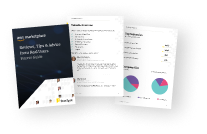
Buyer guide
Gain valuable insights from real users who purchased this product, powered by PeerSpot.
Financing for AWS Marketplace purchases
AWS Marketplace now accepts line of credit payments through the PNC Vendor Finance program. This program is available to select AWS customers in the US, excluding NV, NC, ND, TN, & VT.

Pricing
Pricing is based on the duration and terms of your contract with the vendor. This entitles you to a specified quantity of use for the contract duration. If you choose not to renew or replace your contract before it ends, access to these entitlements will expire.
Additional AWS infrastructure costs may apply. Use the AWS Pricing Calculator to estimate your infrastructure costs.
Dimension | Description | Cost/12 months |
|---|---|---|
Miro Enterprise Licenses | Qty. 50 Enterprise Licenses | $15,000.00 |
Dimensions summary
This listing offers one pricing dimension: a bundle of 50 Miro Enterprise Licenses. Pricing is contract-based and scales by the number of user licenses you buy, with each license assigned to one paid member. Members get full access to create boards and content. This Enterprise offering is built for larger organizations that need security, governance, and administration controls at scale. To adjust the number of seats beyond this bundle, you work with the vendor on custom terms.
Top-of-mind questions for buyers
Each license maps to one paid member. A member consumes a paid seat and has full access to create their own boards and content. Guests and visitors do not consume a paid seat: guests need a free account and get limited access, while visitors join boards through a shared public link.
Adding a member mid-cycle is prorated, so you pay only for the days remaining in your billing period. Removing a member takes effect at renewal, not immediately. To reduce seats, make the change before your renewal date.
Credits power the AI suite and are pooled across your organization, consumed per AI action. The credit count scales with your seat count. Credits reset monthly and do not roll over. Admins can monitor usage. If you need more, additional credit packages are available for purchase.
miro.com+1
Helpful?
Vendor refund policy
Please review the policy here: https://miro.com/legal/master-cloud-agreement/

Legal
Vendor terms and conditions
Upon subscribing to this product, you must acknowledge and agree to the terms and conditions outlined in the vendor's End User License Agreement (EULA) .
Content disclaimer
Vendors are responsible for their product descriptions and other product content. AWS does not warrant that vendors' product descriptions or other product content are accurate, complete, reliable, current, or error-free.
Delivery details
Software as a Service (SaaS)
SaaS delivers cloud-based software applications directly to customers over the internet. You can access these applications through a subscription model. You will pay recurring monthly usage fees through your AWS bill, while AWS handles deployment and infrastructure management, ensuring scalability, reliability, and seamless integration with other AWS services.
Resources
Vendor resources
Support
Vendor support
Miro offers different levels of support designed to fit the needs of every organization. Please reach out to aws-marketplace@miro.com for more information.
AWS infrastructure support
AWS Support is a one-on-one, fast-response support channel that is staffed 24x7x365 with experienced and technical support engineers. The service helps customers of all sizes and technical abilities to successfully utilize the products and features provided by Amazon Web Services.
Updated weekly
Top
10
In Project Management, Agile Lifecycle Management, Collaboration & Productivity
Top
10
In IT Support, Project Management
Top
50
In Project Management
Sentiment is AI generated from actual customer reviews on AWS and G2
Functionality
Ease of use
Customer service
Cost effectiveness
Positive reviews
Mixed reviews
Negative reviews
AI generated from product descriptions
AI-Powered Automation
AI agents (Sidekicks) and visual workflows (Flows) automate complex processes including requirements generation, diagram creation, and prototype development from visual context.
Enterprise Knowledge Integration
Amazon Q Business integration surfaces enterprise knowledge directly on the canvas, and Amazon Bedrock powers AI workflows for intelligent automation.
AWS-Native Architecture Diagramming
Native architecture diagramming capabilities with AWS shape libraries, reference architectures, and AWS Cost Calculator integration for migration planning and cost estimation.
Model Context Protocol Connectivity
MCP server connectivity with Kiro maintains context throughout the development lifecycle and connects to execution tools.
Visual Collaboration Canvas
Intelligent canvas platform enabling distributed teams to visualize complex cloud infrastructures, align stakeholders, and compress project cycles from discovery through execution.
Integrated Workspace Platform
Connects projects, documents, and knowledge management into a single unified space with integrated workflows and centralized information hub
Collaborative Document Editing
Provides drag-and-drop editor with infinite canvas supporting text, images, video, calendars, and connected app content for collaborative writing and information sharing
Project and Task Management
Enables management of projects, to-do lists, task boards, trackers, timelines, roadmaps, and goals with flexible configuration options
Knowledge Base System
Includes wiki functionality that consolidates company-wide collective knowledge into centralized, searchable information repository
No-Code Customization Framework
Offers customizable workflows and no-code building blocks allowing users to configure processes without requiring technical expertise
Unified Communication and Collaboration Platform
Consolidates Messenger, Docs, Calendar, Meetings, Emails, and OKRs into a single application to eliminate context switching between multiple tools.
Real-time Auto-translation Capability
Embedded auto-translation functionality across Messenger, Docs, and Meetings enabling seamless communication across multiple languages and time zones.
Mobile-first Architecture
Comprehensive mobile experience designed to support deskless teams with capabilities for field inspections, inventory tracking, issue submission and management, and business process management.
Low-code Database and Workflow Automation
Lark Base platform enables creation of custom business applications and automated workflows without requiring coding expertise, with data visualization and access management capabilities.
Role-based Customization and Integration
Supports customization by industry and role with role-based differentiation, paired with robust third-party integration capabilities to extend functionality.
Standard contract
No
No
No
Customer reviews
Jyoti P.
A Simple and Powerful Tool for Team Collaboration
Reviewed on Nov 13, 2026
Review provided by G2
What do you like best about the product?
What I like most about Miro is how easy it makes collaboration. We can brainstorm ideas, plan projects, create workflows, and discuss them together without constantly switching between different tools. The infinite canvas gives us a lot of flexibility, while real-time collaboration makes it easy for everyone to contribute. I also find the templates helpful when we need to get started quickly. Overall, Miro has become a valuable tool for our day-to-day collaboration.
What do you dislike about the product?
Miro offers a wide range of features, so it can take some time to become familiar with everything when you first start using it. Other than that, I haven't experienced any major issues with the platform.
What problems is the product solving and how is that benefiting you?
Miro helps us bring brainstorming, project planning, discussions, and visual workflows into one shared workspace. It makes it easier for our team to organize ideas, collaborate in real time, and keep everyone aligned. This saves time, reduces unnecessary back-and-forth, and makes it easier to turn ideas.
Bruce Bianchini B.
Visual Templates Make Collaborative Discovery Easier
Reviewed on Nov 12, 2026
Review provided by G2
What do you like best about the product?
I like using Miro to easily bring together and share information about a project or initiative. The templates help create visual perspectives of user journeys and process flows. I also like being able to include links and references to other documentation, such as spreadsheets and Google Docs. The different visual components help tell that story and make the tool interesting for the discovery process. Miro ends up being the central hub for discovery and my first choice for visual representations and collaborative work. I also find it very easy to get started: I log in, choose a plan or join a team, and start using it without any difficulty.
What do you dislike about the product?
I think creating flowcharts could be more plug-and-play, with a native tool rather than a subcomponent, so I could add the next boxes more quickly. It would also be useful if generative AI suggested the next steps based on what I had already drawn and helped me build a coherent project or process without any gaps.
What problems is the product solving and how is that benefiting you?
I use Miro during the product discovery process to document activities, gather information, and share charts and process flowcharts. It helps me easily consolidate and share all the information about a project or initiative.
krish s.
Where Creativity, Collaboration, and AI Turn Ideas into Action
Reviewed on Nov 10, 2026
Review provided by G2
What do you like best about the product?
What I enjoy the most about Miro is the flexibility and freedom it provides to translate my ideas into reality. Since I am a marketing enthusiast, I appreciate the possibility of utilizing this tool for campaign brainstorming, ideation of creative projects, creation of wireframes, and visualization of thoughts. In addition, it is an excellent virtual platform for collaboration within meetings and discussions with other people.
I particularly value the integration of the Sidekick AI, which I have found useful when it came to exploration of the ideas, structuring of projects, and development of wireframes. In general, Miro successfully combines creativity, collaboration, and productivity in one solution.
I particularly value the integration of the Sidekick AI, which I have found useful when it came to exploration of the ideas, structuring of projects, and development of wireframes. In general, Miro successfully combines creativity, collaboration, and productivity in one solution.
What do you dislike about the product?
Miro is an excellent product all in all, but something I believe could be enhanced about Miro is the experience of using it on big and complicated boards. As more and more things are added to a project, such as different wireframes, concepts, and content sections, it becomes hard to keep track of them all at times. In addition, it may take some time to get acquainted with some of the more advanced functions. It would be wonderful to have even more user-friendly navigation and organization features.
What problems is the product solving and how is that benefiting you?
Miro gives me a solution to one of the hardest parts of creating creative and marketing campaigns: structuring my scattered ideas. Before, to brainstorm, build a plan, collaborate, and do wireframing, I had to switch between multiple applications. With Miro, I can bring all of those steps together in one visual tool.
It has also made my online conferences much more productive, because we now have a single space to discuss and visualize ideas and collaborate efficiently. I use Miro to build project strategies, create wireframes, and map out creative processes. The Sidekick AI that comes with Miro is a great feature as well, since it helps me brainstorm, refine my concepts, and build projects more quickly.
It has also made my online conferences much more productive, because we now have a single space to discuss and visualize ideas and collaborate efficiently. I use Miro to build project strategies, create wireframes, and map out creative processes. The Sidekick AI that comes with Miro is a great feature as well, since it helps me brainstorm, refine my concepts, and build projects more quickly.
Information Technology and Services
Easy, Collaborative Boards—Miro AI Levels Up My Team Meetings
Reviewed on Nov 09, 2026
Review provided by G2
What do you like best about the product?
It’s so easy to create great boards and collaborate in Miro. It’s been especially helpful for my team meetings, particularly now with the Miro AI. As someone who isn’t super creative, it’s really helped me level up the boards I make.
What do you dislike about the product?
Nothing I can think of to be honest! I am yet to find something I don't like about it.
What problems is the product solving and how is that benefiting you?
The ability to make meetings really collaborative and have everyone on the same page. Also to be able to easily run meetings and projects async.
Accounting
Seamlessly working on a project as part of a team
Reviewed on Nov 09, 2026
Review provided by G2
What do you like best about the product?
Ability to work collaboratively on a board
What do you dislike about the product?
Too easy to drag or move items accidentally on the board
What problems is the product solving and how is that benefiting you?
It's been great for me and our team. We've been able to use it in so many forums as our source of truth and collaboration.
We use it to brainstorm ideas and projects, and also for ongoing forums where everything is added there and there's a clear timeline of activity and actions.
We use it to brainstorm ideas and projects, and also for ongoing forums where everything is added there and there's a clear timeline of activity and actions.