
Sold by: cloudimg
Deployed on AWS
Free Trial
AWS Free Tier
This product has charges associated with it for seller support. Pre-configured Oracle WebLogic Server AMI with unique-per-instance admin credentials on first boot - no shared secrets, no manual domain setup. 24/7 cloudimg support included.
Overview
Image
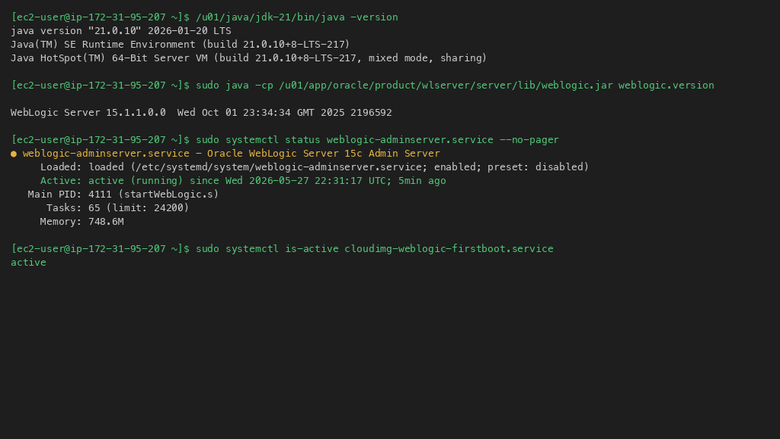
Java version and WebLogic service status
Image
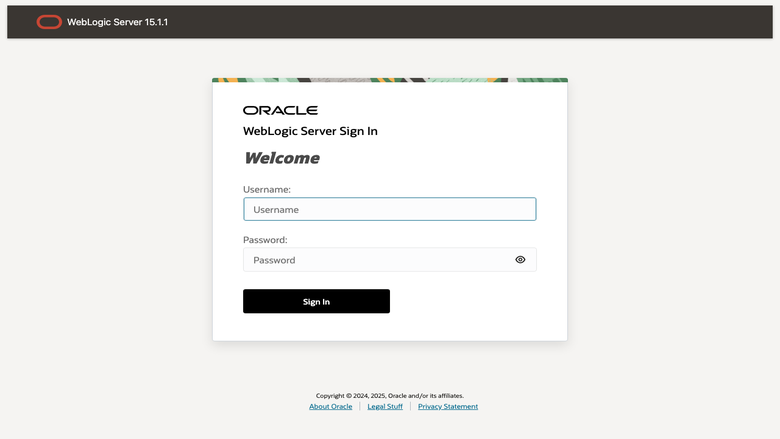
WebLogic Server Sign In page
Image
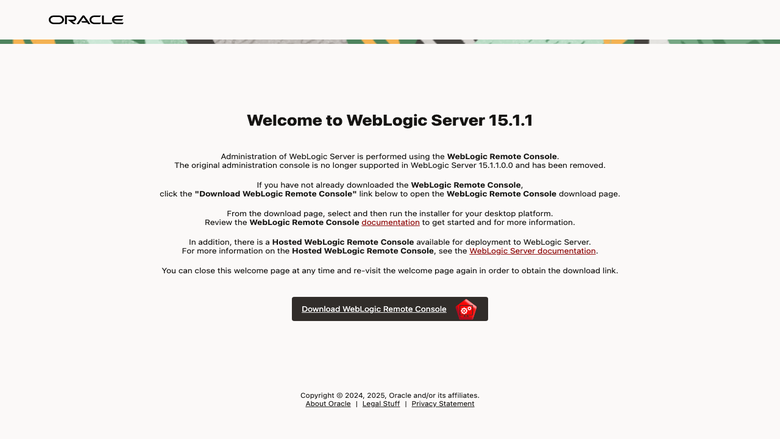
WebLogic Remote Console welcome page
This is a repackaged open source software product wherein additional charges apply for cloudimg support services.
Overview
Oracle WebLogic Server is the industry-leading Java application server for building, deploying, and managing enterprise Java workloads. This AMI delivers WebLogic fully installed and configured so your enterprise Java runtime is operational within minutes of launch - eliminating the 30+ minutes of manual installation, domain creation, and credential setup required with a bare OS approach.
Why This AMI
Unlike generic WebLogic images that ship with static default passwords or require manual post-launch configuration, this listing generates a cryptographically random admin password unique to every instance on first boot. No two instances ever share credentials, and no secret is baked into the image. The result is a production-ready WebLogic domain from the moment your instance starts, with security built in rather than bolted on.
Delivery Options
Two ready-to-run options are available:
- Oracle WebLogic Server 15c (15.1.1.0.0) on AlmaLinux 9 or Oracle Linux 9
- Oracle WebLogic Server 14c (14.1.2.0.0) on Oracle Linux 8 or AlmaLinux 8
Both are installed via the official Oracle generic installer to a dedicated middleware home, powered by JDK 21 LTS, with the AdminServer listening on port 7001 and NodeManager configured on port 5556. All processes run as a dedicated unprivileged oracle system user. Choose the version and OS that match your application's certification requirements.
Secure First Boot
On first boot a one-shot service starts the AdminServer, generates a fresh cryptographically random password, rotates the weblogic account via WLST, and writes the credentials to a file readable only by root. This approach eliminates the risk of shared default passwords found in other AMIs and ensures every deployment starts with a unique credential posture.
Use Case: On-Premises to AWS Migration
Organizations running WebLogic on-premises can use this AMI to accelerate lift-and-shift migrations to AWS. Launch the AMI on your target EC2 instance type, deploy your existing EAR/WAR applications through the AdminServer console or WLST, and leverage AWS Auto Scaling and Elastic Load Balancing for production workloads. The pre-configured domain model means your team focuses on application deployment rather than infrastructure setup.
Security Posture
- Per-instance cryptographically random admin password (no baked-in secrets)
- All WebLogic processes run as an unprivileged oracle system user
- Credential file restricted to root-only read access
- NodeManager configured on port 5556 for managed server lifecycle control
Buyers should configure TLS termination on port 7001 and restrict security group ingress to trusted CIDR ranges for production deployments. Refer to the quickstart guide linked in Additional Resources for detailed hardening steps.
About cloudimg
cloudimg provides 24/7 technical support for WebLogic deployment, application configuration, domain tuning, JVM performance, and upgrades across the WebLogic 12c, 14c, and 15c family. Our engineers specialize in enterprise Java workloads on AWS and help customers move from launch to production with confidence.
To get started, launch the AMI, retrieve your unique admin password from the root-only credential file, and log in to the WebLogic Administration Console at http://your-instance:7001/console . For a guided walkthrough or deployment consultation, contact support@cloudimg.co.uk .
Highlights
- Oracle WebLogic Server preinstalled and ready to run -- choose WebLogic 15c on AlmaLinux 9 or WebLogic 14c (14.1.2.0.0) on Oracle Linux 8, both on JDK 21 with the AdminServer on port 7001 and no manual domain setup required
- Hardened first boot generates a fresh WebLogic admin password for every instance via WLST and stores it in a file only the root user can read
- 24/7 technical support from cloudimg for WebLogic deployment, application configuration, domain tuning and upgrades across the WebLogic family
Details
Sold by
Categories
Delivery method
Delivery option
64-bit (x86) Amazon Machine Image (AMI)
Latest version
Operating system
OtherLinux 8
Deployed on AWS
New
Introducing multi-product solutions
You can now purchase comprehensive solutions tailored to use cases and industries.

Features and programs
Financing for AWS Marketplace purchases
AWS Marketplace now accepts line of credit payments through the PNC Vendor Finance program. This program is available to select AWS customers in the US, excluding NV, NC, ND, TN, & VT.

Pricing
Free trial
Try this product free for 7 days according to the free trial terms set by the vendor. Usage-based pricing is in effect for usage beyond the free trial terms. Your free trial gets automatically converted to a paid subscription when the trial ends, but may be canceled any time before that.
Pricing is based on actual usage, with charges varying according to how much you consume. Subscriptions have no end date and may be canceled any time. Alternatively, you can pay upfront for a contract, which typically covers your anticipated usage for the contract duration. Any usage beyond contract will incur additional usage-based costs.
Additional AWS infrastructure costs may apply. Use the AWS Pricing Calculator to estimate your infrastructure costs.
If you are an AWS Free Tier customer with a free plan, you are eligible to subscribe to this offer. You can use free credits to cover the cost of eligible AWS infrastructure. See AWS Free Tier for more details. If you created an AWS account before July 15th, 2025, and qualify for the Legacy AWS Free Tier, Amazon EC2 charges for Micro instances are free for up to 750 hours per month. See Legacy AWS Free Tier for more details.
Dimension | Description | Cost/hour |
|---|---|---|
m5.large Recommended | m5.large | $0.08 |
t3.micro | t3.micro instance type | $0.04 |
t2.micro | t2.micro instance type | $0.04 |
m8i.2xlarge | m8i.2xlarge instance type | $0.24 |
r7a.4xlarge | r7a.4xlarge instance type | $0.24 |
r5dn.12xlarge | r5dn.12xlarge instance type | $0.24 |
c6in.large | c6in.large instance type | $0.08 |
g5.24xlarge | g5.24xlarge instance type | $0.24 |
c6id.24xlarge | c6id.24xlarge instance type | $0.24 |
m5d.4xlarge | m5d.4xlarge instance type | $0.24 |
Dimensions summary
You pay by the hour for the EC2 instance type you run this software on. Each dimension maps to one instance type, so pricing scales with the compute size and family you pick. Smaller instances like t3.micro carry lower hourly rates, while large multi-processor and metal instances carry higher rates. You choose the instance based on your workload's CPU, memory, storage, or accelerated computing needs. The software cost is the same delivery regardless of instance; the hourly charge reflects the underlying hardware capacity. The seller recommends the m5.large instance type as a starting point.
Top-of-mind questions for buyers
One hourly charge covers one running EC2 instance of the type you launch. It includes the software with WebLogic installed to a dedicated Oracle middleware home on JDK 21 LTS, an AdminServer on port 7001, and a Node Manager on port 5556. The instance size sets the CPU, memory, and storage you receive.
The software charge meters running instance-hours, so a fully stopped instance stops accruing software charges. Stopped instances may still incur underlying AWS storage fees for their disk volumes. You pay the hourly rate only while the instance runs.
No. Both versions ship as delivery options within the same listing and share the same operational setup. Your hourly cost reflects the EC2 instance type you pick, not the WebLogic version. Choosing 15c or 14c does not by itself change the software charge.
www.cloudimg.co.uk
Helpful?
Vendor refund policy
Refunds available on request.

Legal
Vendor terms and conditions
Upon subscribing to this product, you must acknowledge and agree to the terms and conditions outlined in the vendor's End User License Agreement (EULA) .
Content disclaimer
Vendors are responsible for their product descriptions and other product content. AWS does not warrant that vendors' product descriptions or other product content are accurate, complete, reliable, current, or error-free.
Delivery details
64-bit (x86) Amazon Machine Image (AMI)
Amazon Machine Image (AMI)
An AMI is a virtual image that provides the information required to launch an instance. Amazon EC2 (Elastic Compute Cloud) instances are virtual servers on which you can run your applications and workloads, offering varying combinations of CPU, memory, storage, and networking resources. You can launch as many instances from as many different AMIs as you need.
Version release notes
WebLogic 14c (14.1.2.0.0) on AlmaLinux 8. JDK 21, AdminServer on port 7001, per-instance admin password generated on first boot.
Additional details
Usage instructions
Connect via SSH on port 22 as ec2-user. Retrieve the generated admin credentials with: sudo cat /stage/scripts/weblogic-credentials.log. The WebLogic Sign In page is available at http://<instance-public-ip>:7001/console/welcome/. Download the WebLogic Remote Console from Oracle and connect to the AdminServer on port 7001. To use WLST: sudo su - oracle; export JAVA_HOME=/u01/java/jdk-21; /u01/app/oracle/product/wlserver/common/bin/wlst.sh. The user guide explains deploying applications, configuring JDBC datasources and managing the WebLogic services.
Resources
Vendor resources
Support
Vendor support
cloudimg provides 24/7 technical support for this Oracle WebLogic Server AMI via email and live chat.
How to Get Help
Contact support@cloudimg.co.uk for any issue including deployment assistance, application configuration, domain tuning, JVM performance optimization, upgrades, and troubleshooting across the WebLogic 12c, 14c, and 15c family.
Response Times
Critical production issues receive a one-hour average response time. Our engineers specialize in enterprise Java workloads running on AWS and can assist with WebLogic domain management, WLST scripting, security configuration, and performance diagnostics.
What We Cover
- Initial deployment and first-boot credential retrieval
- AdminServer and NodeManager configuration
- Application deployment and domain tuning
- JDK and WebLogic patching and upgrades
- Performance troubleshooting and JVM tuning
- Security hardening guidance
Refunds and Billing
For billing questions or refund requests, contact support@cloudimg.co.uk and include your AWS account ID and instance details. Our team will respond within one business day for non-critical inquiries.
Deployment Consultation
For guided deployment walkthroughs or migration planning, email support@cloudimg.co.uk with the subject line "Deployment Consultation" and we will schedule a session with an engineer.
AWS infrastructure support
AWS Support is a one-on-one, fast-response support channel that is staffed 24x7x365 with experienced and technical support engineers. The service helps customers of all sizes and technical abilities to successfully utilize the products and features provided by Amazon Web Services.
Similar products

This product has charges associated with it for seller support. Deploy enterprise Java EE applications faster with a pre-configured Oracle WebLogic 14c AMI on AWS, backed by cloudimg 24/7 expert support.

This product has charges associated with it for the build, maintenance, and support of the Amazon Machine Images (AMIs).

This product has charges associated with it for seller support. Deploy Oracle WebLogic 12c on AWS with pre-configured Linux AMIs, AWS CLI v2, and CloudWatch Agent. Includes 24/7 expert support with guaranteed 24-hour response.

This product has charges associated with it for seller support. Oracle Database Client 19c on Windows Server 2016, 2019 or 2022. Connect .NET, Java and Python apps, CI pipelines, and DBA workstations to Oracle Database 11g through 23ai. SQL*Plus, OCI, JDBC, ODP.NET pre-installed. ENA networking, 24/7 cloudimg support, 24h response SLA.
Customer reviews
No customer reviews yet
Be the first to review this product . We've partnered with PeerSpot to gather customer feedback. You can share your experience by writing or recording a review, or scheduling a call with a PeerSpot analyst.