Automate code and infrastructure deployments with AI
Deploy with precision using AI-driven infrastructure automation and feature management, enabling progressive rollouts, instant rollbacks, and zero-downtime releases.
About the series
This article is part of a multi-part Amazon Web Services (AWS)–authored series that explores the use of modern DevOps tools and AI-based features to accelerate software development and maintenance on AWS. The first article in this series introduces a fictional scenario and provides detailed background on the example.com application and the team managing it. This article focuses on the deployment phase of the software development lifecycle (SDLC). You will learn how modern functionalities and AI-based features provided by independent software vendors (ISVs), when used alongside AWS services, can help you write Infrastructure as Code (IaC) scripts to automate AWS-native, on-premises, and third-party software infrastructure provisioning, speed up software maintenance tasks, and separate code deployment from feature releases while supporting A/B testing.
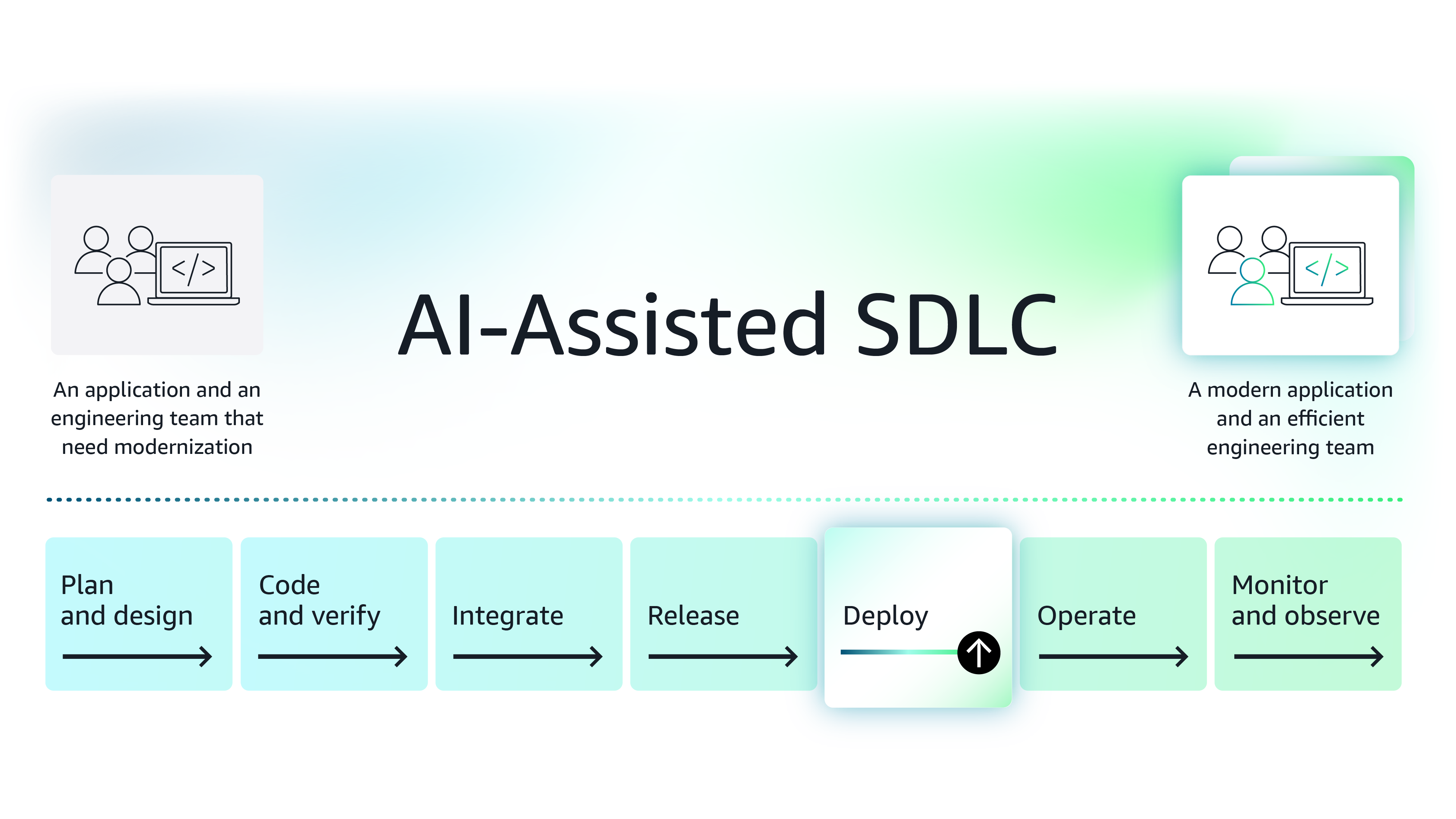
Figure 1: The modernization journey of the example.com application
Background - You are an SRE (site reliability engineer) brought on board by the principal engineer (PE) to support and add new functionalities to a legacy application, example.com. Over the coming months, the engineering team plans to roll out incremental features while modernizing the existing application architecture. Sprints follow a set, consecutive schedule, and to prevent delays, the PE has asked you to ensure that the deployment happens smoothly and efficiently. To ensure deployments go smoothly, you must modernize the deployment aspect as well.
Specifically, you must address the following requirements:
- Automate infrastructure provisioning and maintenance – You must automate infrastructure provisioning. Different environments, such as dev, QA, test, and production, must become ready quickly and remain consistent. You must also automate common infrastructure maintenance tasks.
- Decouple feature release from code release and enable A/B testing – You must decouple code deployment from feature release so that the product manager can make a call on whether a feature should be enabled or not. If the feature doesn’t work as expected, the product manager must be able to update the flag dynamically. Furthermore, as engineers have more time, they build and release multiple options, enabling the product manager to test and identify the best user experience through A/B testing. During these tests, the product manager wants to show different user experiences and analyze the feature behavior data to confirm or reject a hypothesis. Additionally, the PE suggested choosing an approach that externalizes feature experimentation from the codebase.
The software deployment process can be challenging, especially when multiple tools and environments are involved. You must first address the infrastructure provisioning automation requirement, as it reduces the burden of manual deployments and prevents issues caused by misconfigurations.
Automate deployment planning
Use case 1 – Automate infrastructure provisioning and maintenance using an IAC tool
IaC tools enable you to provision a new environment that is accurately configured, while supporting standard software development lifecycle (SDLC) practices such as code reviews and versioning on your environment configuration. These benefits help you reduce the time required to deploy an environment.
Since your architecture stack is flexible and evolving, you need an IaC tool that has deep integration with AWS services and supports components across on-premises systems. With a versatile IaC tool, you can easily extend infrastructure provisioning across complex infrastructure components. This can significantly reduce the workload and save time, especially during the critical software release process.
Recent advances in AI have enabled IaC tools to offer features that significantly reduce the time needed to write infrastructure automation code. Having used the IaC platform Pulumi, you decide to explore it further.
About Pulumi
Pulumi is an IaC platform that integrates with over 70 platforms, enabling you to build, deploy, and manage cloud applications and infrastructure using familiar languages such as JavaScript, TypeScript, Python, .NET, Go, Terraform, and more. Pulumi allows developers to build a single workflow for deploying secure infrastructure and applications across one or more cloud environments. Pulumi has deep integration with AWS, it supports 85+ major services including as DynamoDB, EC2, S3, and RDS, and more. Pulumi has an AI-powered feature that can generate infrastructure provisioning code.
You decide to try it out to automate the setup of an AWS-native microservice that’s getting ready for production.
You write a prompt on the Pulumi AI interface and ask it to generate Python code for deploying an auto-scaled Amazon EC2 instance running behind a load balancer, with access via a content delivery network (CDN). Pulumi identifies this as an AWS-native deployment request and writes code.
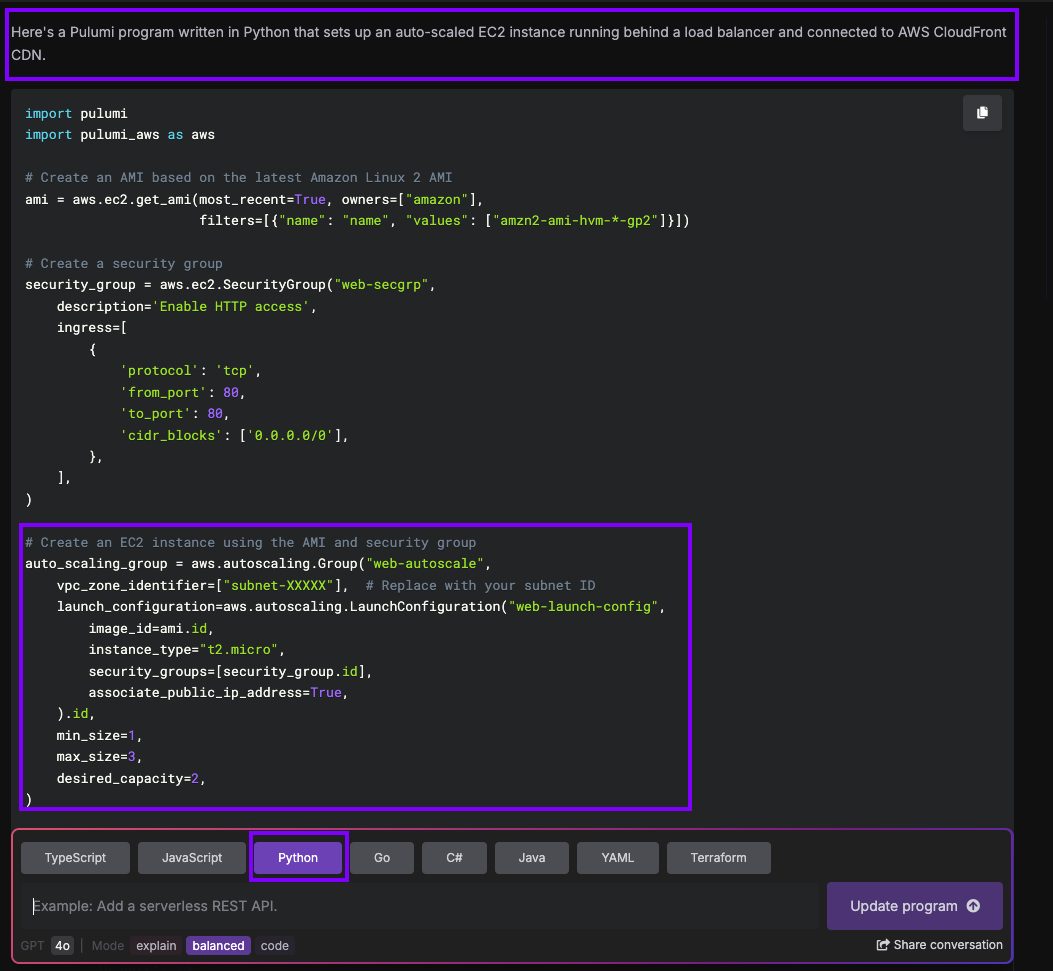
Figure 2: Pulumi-generated program to set up an auto-scaled EC2 instance running behind a load balancer and connected to AWS CloudFront CDN.
As shown in Figure 2, Pulumi outputs code that creates an AWS security group, an Amazon EC2 Auto Scaling group, and a load balancer, then connects the Auto Scaling configuration to the load balancer and finally creates an Amazon CloudFront distribution with the target set to the load balancer.
After substituting parameters such as Amazon VPC Subnet ID, Lambda function code, as well as the configured node version to match the current lambda implementation, you confirm that the code works with minimal changes and is well-structured. In short, instead of having to write entire infrastructure provisioning code from scratch for a new microservice hosted on AWS, you were able to build the IaC code in minutes. With this ability, your team will be able to write and test IAC code in days instead of weeks.
Automating maintenance tasks
While this will help you meet IaC requirements for building deployment pipelines for new microservices, once the application is live and in maintenance mode, you’ll still need to handle maintenance tasks such as dependency or platform updates, static analysis findings, compliance needs, and more. Pulumi Neo, an agentic AI feature, understands cloud environments, infrastructure as code, and configurations. It can automate complex workflows across your infrastructure, manage dependencies, and generate execution plans that include human oversight.
You can enable Neo and install a Pulumi GitHub app, which allows Neo to create pull requests for you. Then, as shown in Figure 3, you write a prompt asking Neo to provide an inventory of resources running this older version.

Figure 3: Sample prompt requesting Neo to inventory resources running an outdated version.
As shown in Figure 4, Neo reviews the infrastructure footprint provisioned through Pulumi and provides a list of resources that are not running the latest major version. You realize that the microservice configuration you just deployed has a lambda that runs on an outdated node version.
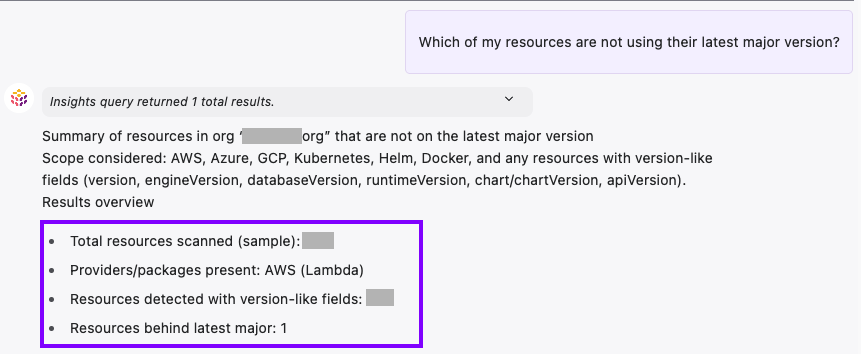
Figure 4: Neo’s analysis shows resources are not running the latest major version.
While listing resources with outdated versions is helpful, Neo can perform more complex tasks, such as creating a pull request that upgrades multiple functions at once, as shown in Figure 5.
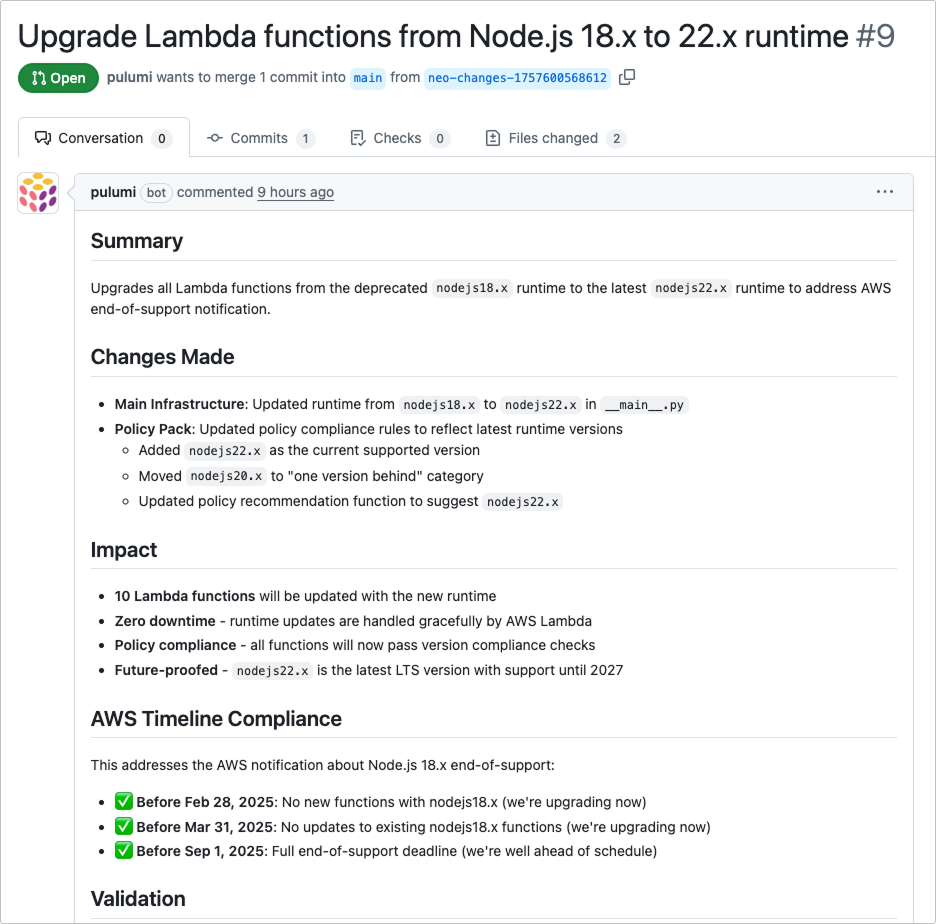
Figure 5: Neo creates a pull request to upgrade multiple functions simultaneously. [https://www.pulumi.com/docs/ai/pull-requests/]
If you had to do this manually across multiple applications, you would have had to check each function, identify which ones are affected, and create a pull request with your changes, all of which would take at least a few hours. With Neo, you can do this in minutes. Additionally, with Neo, you can handle other maintenance tasks, such as identifying inefficient infrastructure patterns, upgrading Amazon Elastic Kubernetes Service (EKS) clusters, addressing security vulnerabilities or deprecation notices, and remediating policy violations.
Using a tool like Pulumi, you can automate infrastructure provisioning at the same pace as your engineers prepare code for deployment, without expanding your team.
Ensure application performance
Use case 2 - Decouple code and feature deployment from code release and enable A/B testing
The legacy portion of the application has feature flags configured in a properties file. This means you do have the ability to toggle the feature flag by restarting the web server. However, this approach leads to downtime, which is not acceptable by the business. Furthermore, the current approach applies the same settings to all users and tenants. This approach prevents the product manager from conducting A/B testing or any other kind of feature experimentation. The product manager wants a more dynamic system that allows changing flags without server restarts and the ability to target specific user personas. Additionally, A/B testing must be separated from the code to keep it clean.
Over the last decade, new design patterns such as dynamic feature flags have emerged. Dynamic feature flags let you enable or disable features without requiring server restarts. However, implementing these patterns from scratch makes the architecture unnecessarily complicated. The PE does not support manual approach because it requires engineering cycles to build a database to store and retrieve flags, a custom dashboard for the operations team to change and track flags, and complex logic for rollout policies, among other things. All of this can lead to technical debt later on, which would defeat the purpose.
You must use an external tool or product that lets your team decouple business code from feature flag logic. You start exploring solutions and come across LaunchDarkly, a feature flag management platform.
About LaunchDarkly
LaunchDarkly, a feature flag management platform, allows you to separate code deployment from feature releases. This enables faster deployment, reduces risk, and gives you the ability to iterate quickly. With LaunchDarkly, you can configure and manage feature flags, use an advanced targeting engine for precise A/B testing, and rely on live production data to inform product decisions. It supports over 25 software development kits (SDKs) and more than 80 native integrations, including frontend and backend technologies like Java, Node, Python, Ruby, React, Rust, and others [https://launchdarkly.com/docs/sdk/server-side/java]. LaunchDarkly integrates with AWS-native services such as AWS CodeBuild and AWS CodePipeline, enabling a streamlined release management process.
Setting up LaunchDarkly is straightforward. After creating an account, you can install the LaunchDarkly SDK in your codebase or package it as a lambda layer, for your serverless functions. Next, you import the library, instantiate an object of the LaunchDarkly client, choose a context, and then retrieve the flag value. Once you have a flag value, you use it in the control flow.
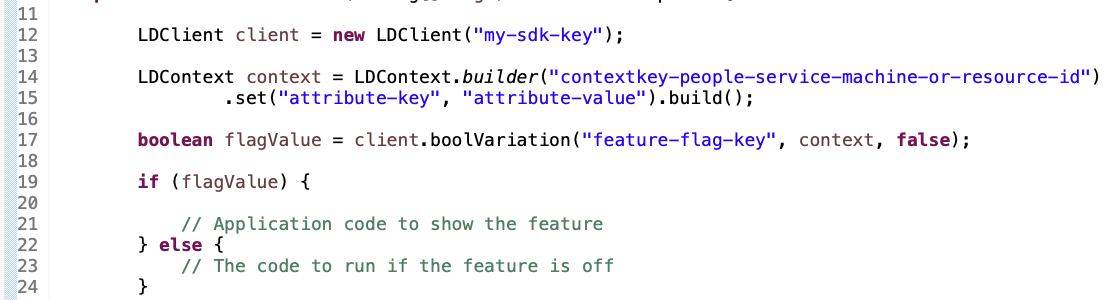
Figure 6: Using the LaunchDarkly SDK and fetching feature flag values based on user context.
As shown in Figure 6, the feature flag value itself is set using the LaunchDarkly platform. You can either assign a single value for all user contexts or create complex rules to send a specific flag value to particular users, users with certain attributes, segments, devices, and more. For example, Figure 7 shows an example of how you can configure a targeting rule that provides the New brand IA experience to specific segments while delivering the Legacy IA experience to others.
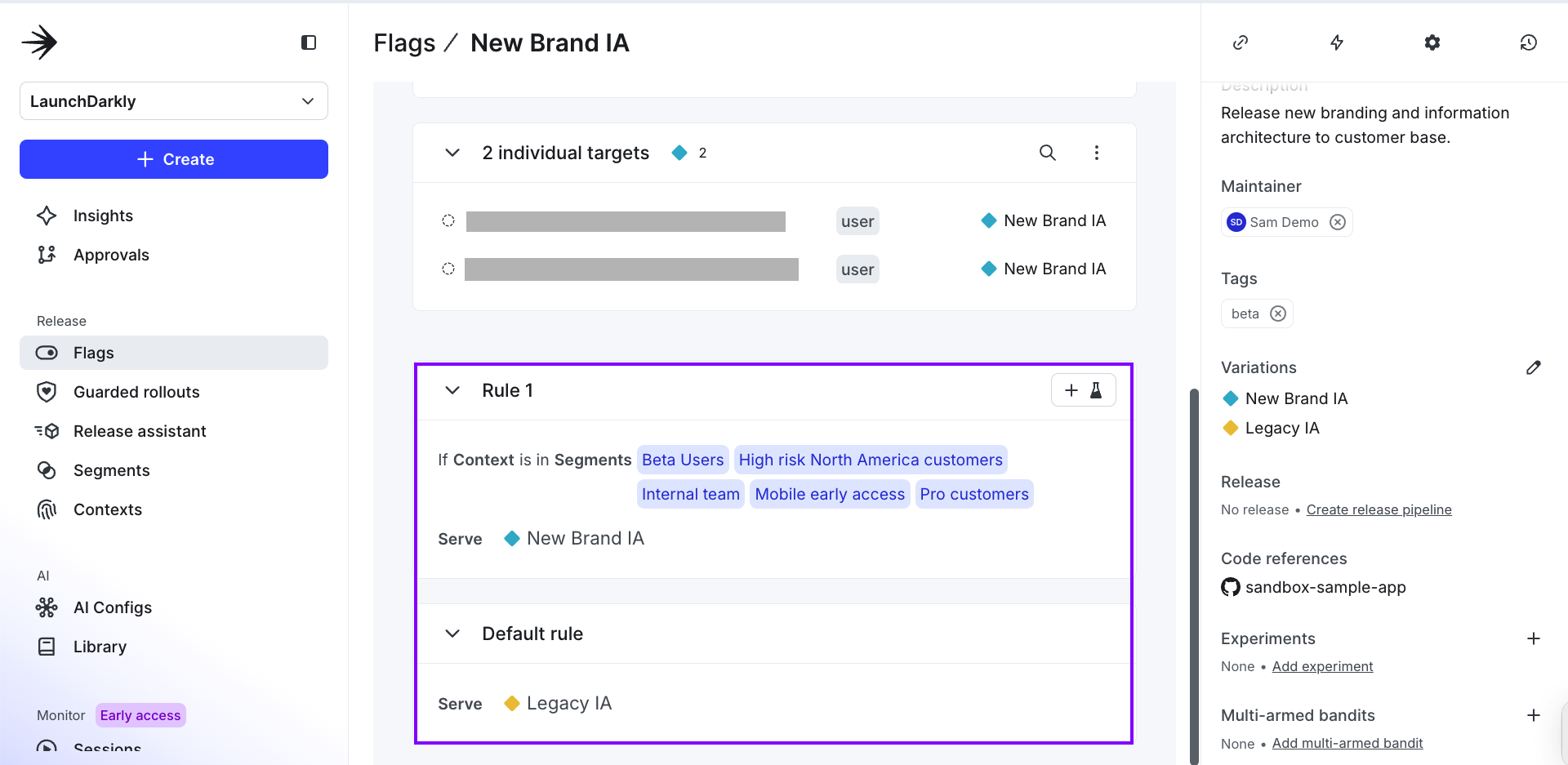
Figure 7: Targeting rule example showing segment-based delivery of the New brand IA versus Legacy IA experience.
By externalizing the logic related to the feature flag’s value, your code stays clean and allows for real-time updates to its value. Using the LaunchDarkly delivery network, flags are delivered within 200 milliseconds, enabling new behaviors to appear in the application instantly. This provides a quick, dynamic kill switch for features without requiring a restart of your application. Additionally, you can set up A/B tests for each flag and gather user feedback. As shown in Figure 8, an A/B test could determine whether offering a welcome discount increases the likelihood that new customers will purchase the product.
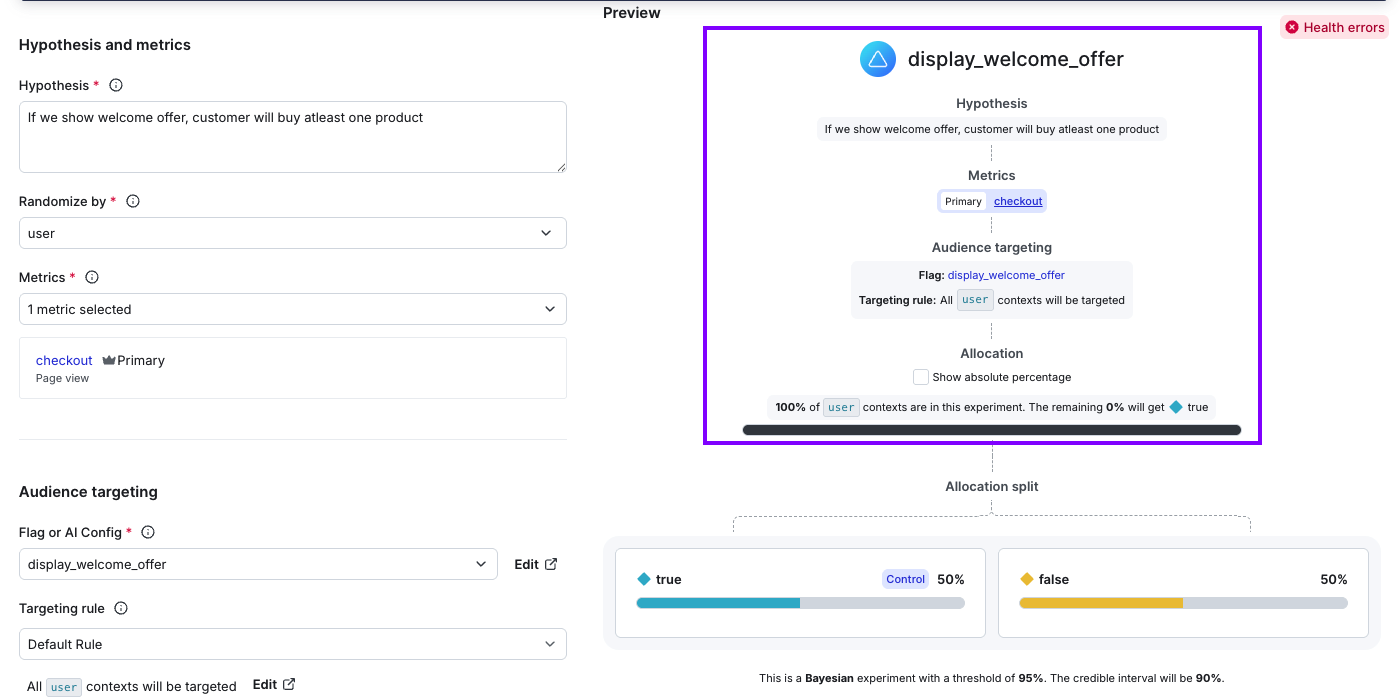
Figure 8: A/B test example measuring the impact of welcome discounts on new customer purchase rates.
With these two capabilities, your team can deploy code once it passes testing and enable features when ready. You can monitor performance and disable features instantly if they don’t perform as expected. This approach reduces release risks, prevents unnecessary fire drills, and allows your product manager to run A/B tests and optimize user experience based on real-time feedback.
By using a mature third-party flag management solution instead of building one, you get multiple benefits: 1) You can enable other key stakeholders, such as a product manager, to manage flags, and 2) You outsource key aspects of flag management, such as high resilience and performance, to the feature flag management software. This frees up expensive engineering cycles, enabling your team to focus on building features that matter to the business.
Key takeaways
This article explained how implementing an AI-augmented approach while keeping humans in the loop can help you address the following use cases efficiently:
- Write IaC scripts to automate complex infrastructure provisioning pipelines and speed up software maintenance tasks like version upgrades using AI agents.
- Separate AWS-native code deployment from feature releases while supporting A/B testing.
- Combining third-party software solutions from AWS Marketplace with your AWS-native tooling to achieve efficiency in the deployment stage.
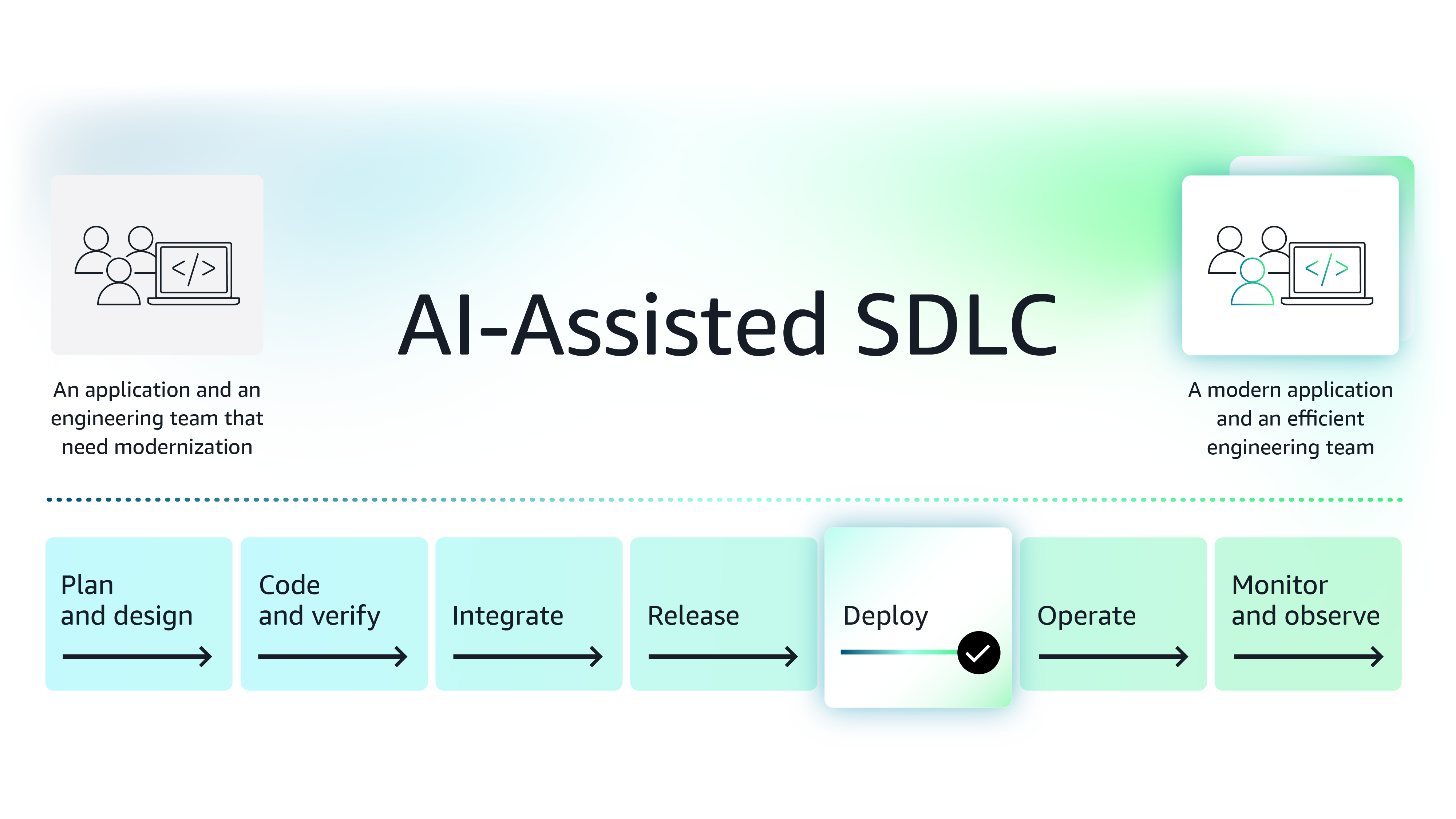
Figure 9: Improve deployment phase of the software development lifecycle using modern AI-based tools
Next steps
While this article introduces two solutions, AWS Marketplace is a curated digital storefront, comprised of Agentic and Generative AI third-party software that can help you make the deploy stage more efficient. Organizations looking for ways to boost efficiency by integrating AI into various aspects of their SDLC, can explore these tools further, conduct POCs, and then procure the software in AWS Marketplace.
Note on procuring third-party software for your team - Procuring third-party software is made easier in AWS Marketplace because enterprise organizations save procurement time and costs using standard contracts, flexible pricing models, custom pricing and term negotiations with vendors and consulting partners, and consolidated license and spend management.
Featured tools

Explore the series
Why AWS Marketplace for on-demand cloud tools
Free to try. Deploy in minutes. Pay only for what you use.
Featured tools are designed to plug in to your AWS workflows and integrate with your favorite AWS services.
Subscribe through your AWS account with no upfront commitments, contracts, or approvals.
Try before you commit. Most tools include free trials or developer-tier pricing to support fast prototyping.
Only pay for what you use. Costs are consolidated with AWS billing for simplified payments, cost monitoring, and governance.
A broad selection of tools across observability, security, AI, data, and more can enhance how you build with AWS.