AWS Mobile Blog
AWS AppSync releases a new visual API builder
Today, we’re launching the visual API builder for AWS AppSync. Before today, knowing GraphQL was a prerequisite for building an AWS AppSync API because AWS AppSync is powered by GraphQL. GraphQL is a powerful API query language that enables network-efficient complex data interactions between your applications and backend. The “no-code” GraphQL API builder, which we released in July 2018, was a step in relaxing this requirement.
With today’s launch, we’re making it even easier to create a powerful API for your mobile and web apps—without any prior knowledge of GraphQL. The visual API builder enables you to define a data model by using a simple, visual web form. It automatically creates the GraphQL schema, DynamoDB data table, and resolvers that are required for your app backend.
Let’s demonstrate the visual API builder by creating an AWS AppSync API for a “to-do” app that lets you create a list of to-do’s. Before today’s launch, you could create a similar API by following the instructions in the AWS AppSync Developer Guide. (Note that for the purpose of this walkthrough, we changed the data model slightly to use String instead of Enum for the priority field.)
Here are the steps to create a simple app backend using the new visual API builder.
- Go to the AWS AppSync console and choose Create API.
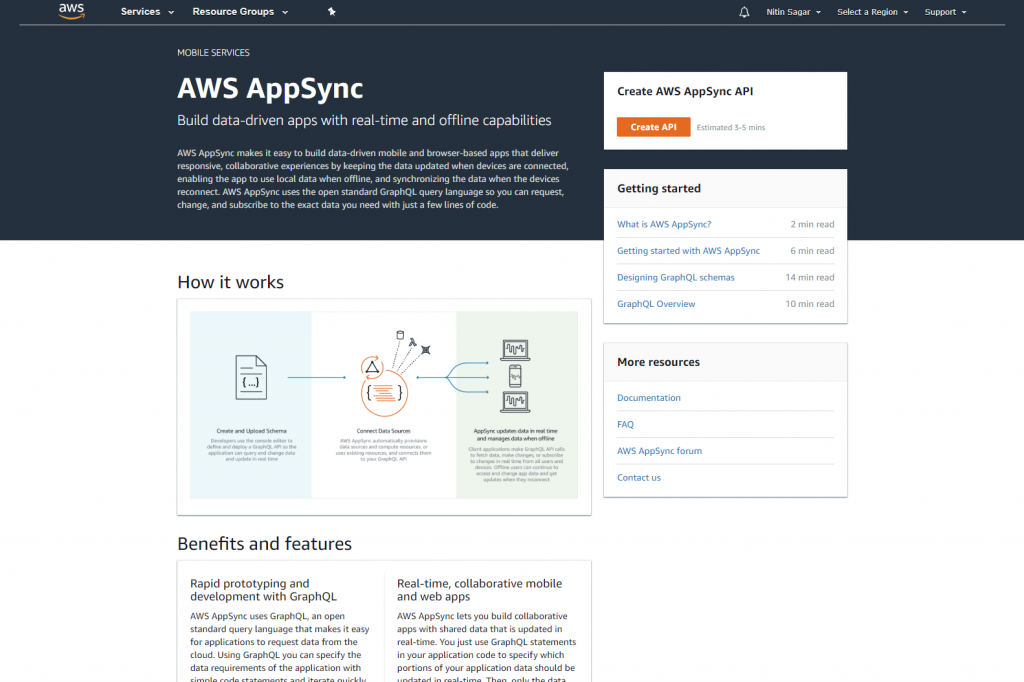
- Choose the Start button that corresponds to the Build from scratch option.
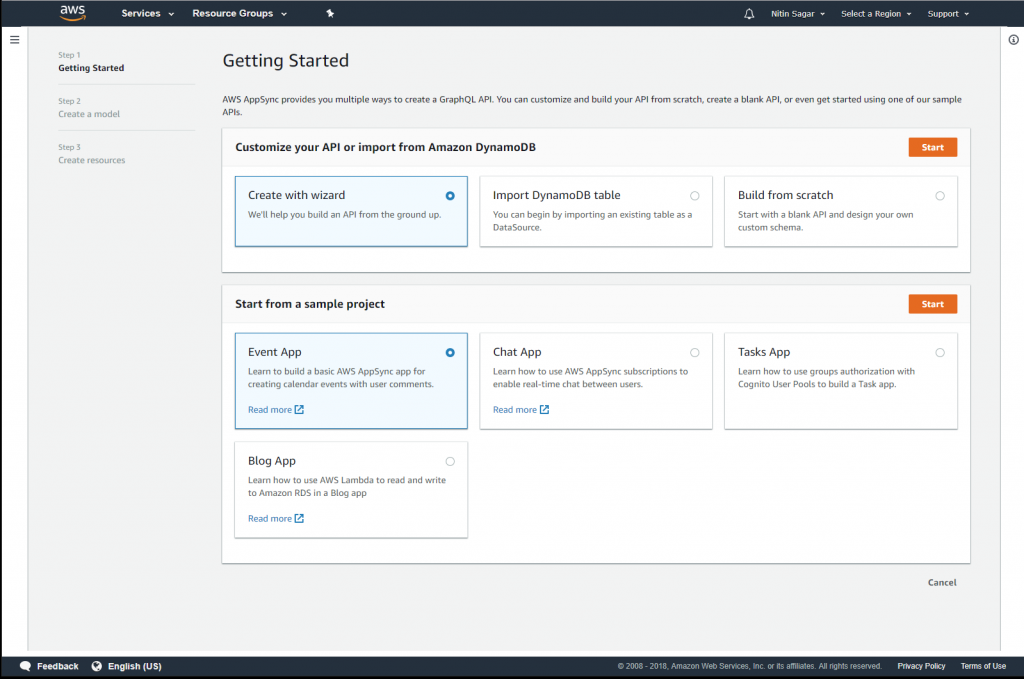
- This screen lets you define the data model that autogenerates the schema, DynamoDB data table, and resolvers.
- Enter the name of the model as “Todo”.
- Add the following fields: name of type String, description of type String, priority of type Int, and status of type String. All fields are optional, so don’t check the “Required” attributes for any of the fields.
- Choose Next.
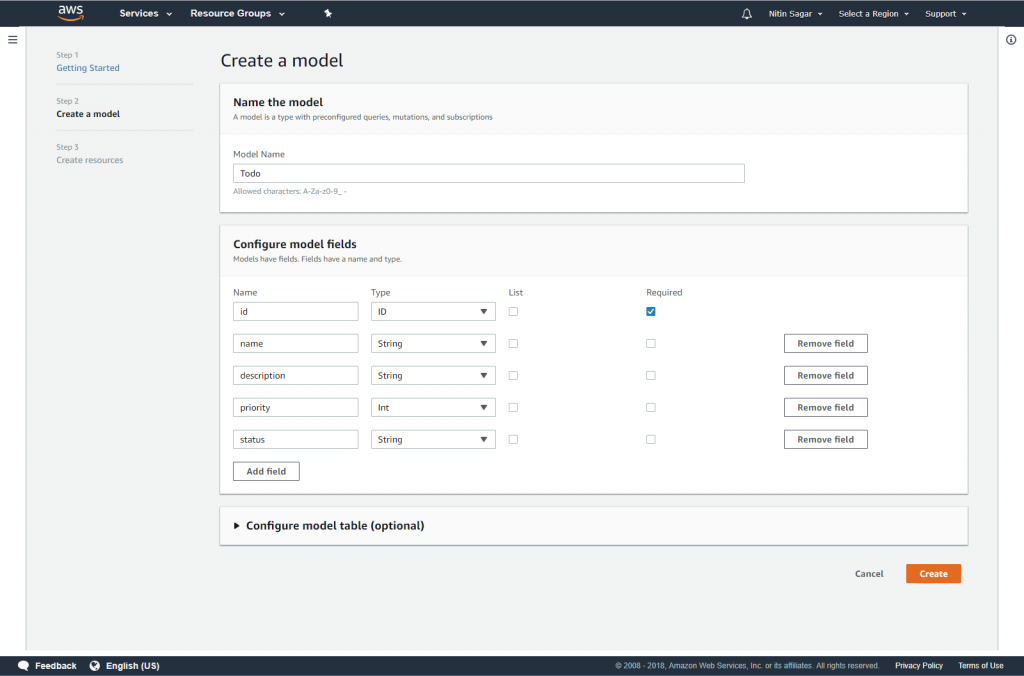
- This screen allows you to name your AWS AppSync API, and shows configuration parameters (when they’re available). Enter a name for your AWS AppSync API, and choose Create.

- That’s all you need to create an API. AWS AppSync now does the heavy lifting of creating the required DynamoDB table and resolver for this data model. After the resources are created, you’re automatically taken to the Queries page where you can test your API.

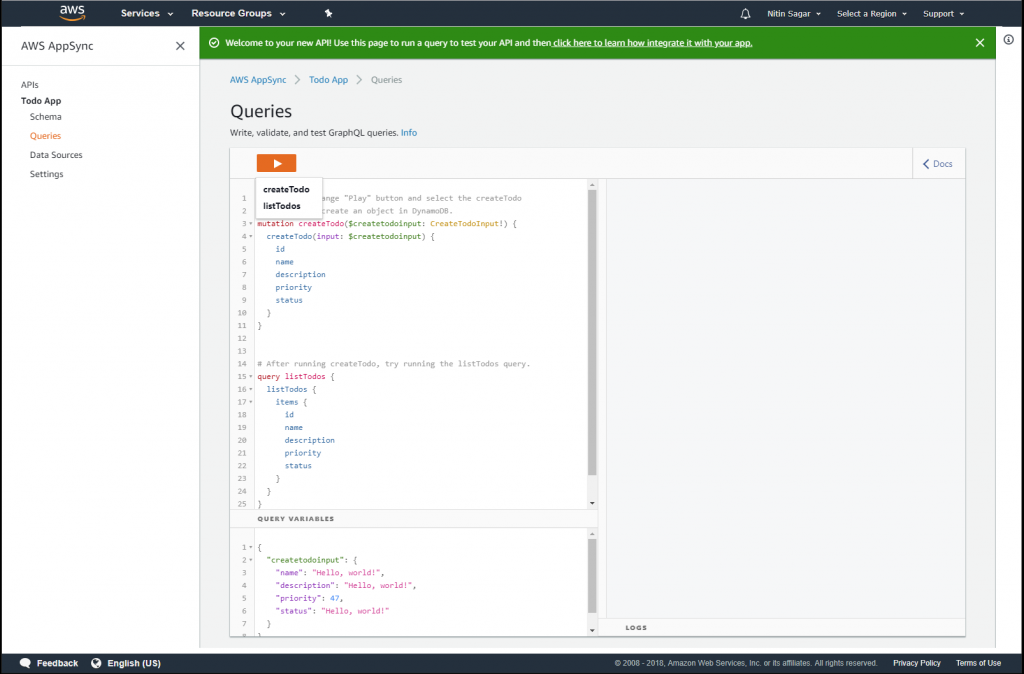
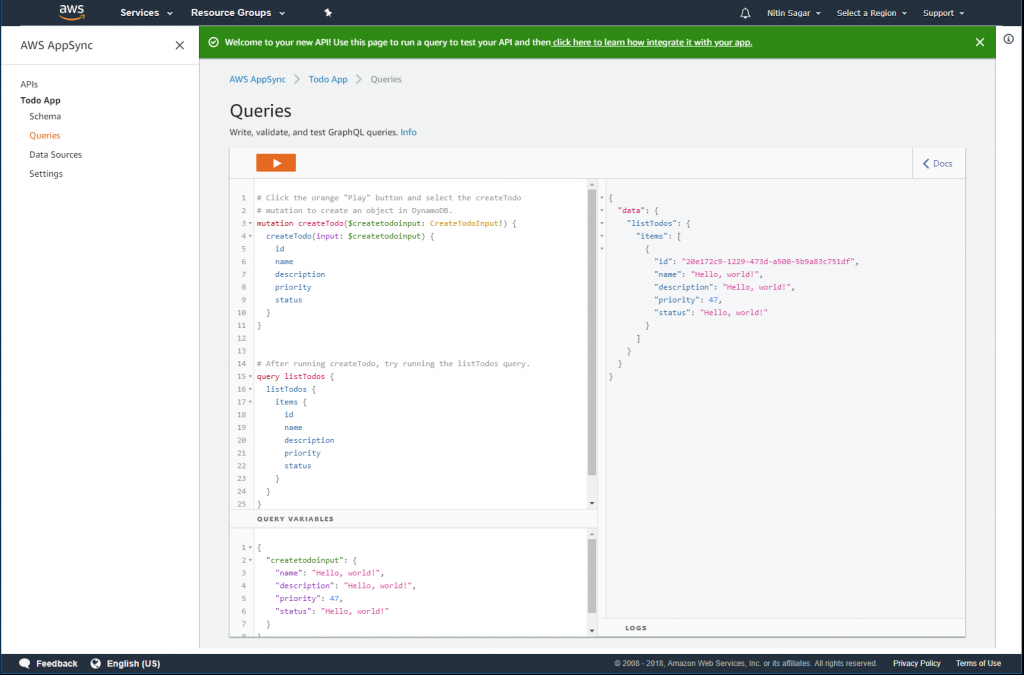
- On the Queries page, use the pre-generated mutation to enter data for your data model. Then run the query to fetch back the data that you entered using the mutation. You can do this by just pressing the “Play” icon on top of the page.
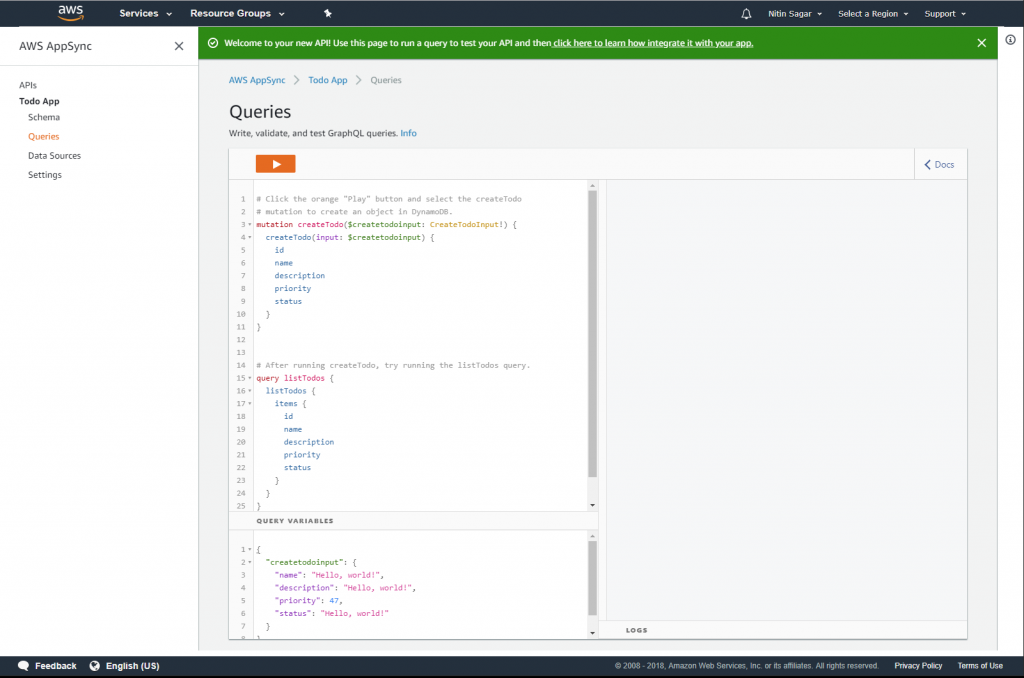
- This is how your data looks when it’s returned from your AWS AppSync API query.
You can now navigate to the API dashboard to learn more about integrating your newly created backend with your app frontend. We do this through the recently-launched AWS Amplify CLI. Choose the API name below the APIs option in the left navigation pane, and follow the instructions on the API dashboard.
As always, we’d love to hear from you. Please comment below or reach out to us on the AWS AppSync Forum.
