AWS Security Blog
Category: Identity

How to Establish Federated Access to Your AWS Resources by Using Active Directory User Attributes
To govern federated access to your AWS resources, it’s a common practice to use Microsoft Active Directory (AD) groups. When using AD groups, establishing federation requires the number of AD groups to be equal to the number of your AWS accounts multiplied by the number of roles in each of your AWS accounts. As you […]

Getting Started: Follow Security Best Practices as You Configure Your AWS Resources
After you create your first AWS account, you might be tempted to start immediately addressing the issue that brought you to AWS. For example, you might set up your first website, spin up a virtual server, or create your first storage solution. However, AWS recommends that first, you follow some security best practices to help […]
Introducing an Easier Way to Delegate Permissions to AWS Services: Service-Linked Roles
Some AWS services create and manage AWS resources on your behalf. To do this, these services require you to delegate permissions to them by using AWS Identity and Access Management (IAM) roles. Today, AWS IAM introduces service-linked roles, which give you an easier and more secure way to delegate permissions to AWS services. To start, […]

Easily Replace or Attach an IAM Role to an Existing EC2 Instance by Using the EC2 Console
April 13, 2022: This blog is out of date. Please refer to this documentation for updated info: Amazon Elastic Compute Cloud User Guide AWS Identity and Access Management (IAM) roles enable your applications running on Amazon EC2 to use temporary security credentials. IAM roles for EC2 make it easier for your applications to make API […]
New! Attach an AWS IAM Role to an Existing Amazon EC2 Instance by Using the AWS CLI
AWS Identity and Access Management (IAM) roles enable your applications running on Amazon EC2 to use temporary security credentials that AWS creates, distributes, and rotates automatically. Using temporary credentials is an IAM best practice because you do not need to maintain long-term keys on your instance. Using IAM roles for EC2 also eliminates the need […]

Now Create and Manage Users More Easily with the AWS IAM Console
Today, we updated the AWS Identity and Access Management (IAM) console to make it easier for you to create and manage your IAM users. These improvements include an updated user creation workflow and new ways to assign and manage permissions. The new user workflow guides you through the process of setting user details, including enabling […]

Enable Your Federated Users to Work in the AWS Management Console for up to 12 Hours
AWS Identity and Access Management (IAM) supports identity federation, which enables external identities, such as users in your corporate directory, to sign in to the AWS Management Console via single sign-on (SSO). Now with a small configuration change, your AWS administrators can allow your federated users to work in the AWS Management Console for up […]

How to Audit Cross-Account Roles Using AWS CloudTrail and Amazon CloudWatch Events
You can use AWS Identity and Access Management (IAM) roles to grant access to resources in your AWS account, another AWS account you own, or a third-party account. For example, you may have an AWS account used for production resources and a separate AWS account for development resources. Throughout this post, I will refer to […]

How to Use SAML to Automatically Direct Federated Users to a Specific AWS Management Console Page
Identity federation enables your enterprise users (such as Active Directory users) to access the AWS Management Console via single sign-on (SSO) by using their existing credentials. In Security Assertion Markup Language (SAML) 2.0, RelayState is an optional parameter that identifies a specified destination URL your users will access after signing in with SSO. When using […]
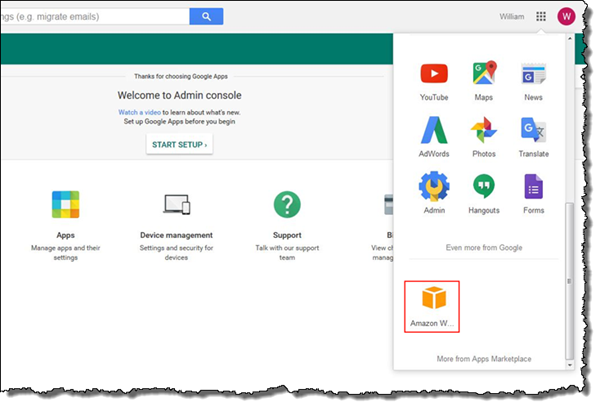
How to Set Up Federated Single Sign-On to AWS Using Google Apps
March 10, 2020: This blog post is out of date. Please refer to this post for updated info: How to set up federated single sign-on to AWS using Google Workspace The AWS Security Blog has covered a variety of solutions for federating single sign-on (SSO) to the AWS Management Console. For example, How to Connect […]